
AI Tutorials
The Right Number Under the Wrong Table Header
Document AI can copy every digit and still misread a table. Preserve header relationships, units and notes before letting extracted numbers drive a report or action.
Read MoreA practical guide to AI in Excel for finance and operations teams: what Copilot really does, availability in Iran, Persian data cleanup, Jalali dates, formula checks and a local route.

This guide is for finance staff, accountants, operations analysts and anyone else whose day runs through Excel workbooks. It answers three practical questions: what AI in Excel can actually do today, which of those features are unavailable to users in Iran, and how to make data cleanup, formula work, reporting and forecasting faster without putting company financial data at risk. A search for "AI in Excel" usually starts with a simple question, but the right answer depends on four things: licensing, the language of your data, where processing happens and how you verify the result.
Every product claim below was checked against official Microsoft and Google support pages and the Ollama documentation on September 24, 2026. These products change quickly, so recheck the linked page before you buy or deploy anything. Where we write "our recommendation", that is ZharfAI's engineering practice, not a vendor claim. The product images come from Microsoft Support pages and are reproduced unaltered with credit under Microsoft's terms for using its copyrighted content.
The most important change for anyone following older tutorials is that the in-cell COPILOT function no longer exists. According to the official COPILOT function page, it stopped being available in Excel on September 14, 2026. It was only ever offered through the Frontier and Microsoft 365 Insider preview programs. Results that were already calculated stay in the workbook as cached values, but any cell that recalculates returns a #NAME? error. If a workbook depends on it, freeze those values now and move the logic into ordinary formulas or another workflow.
The official replacement is the Copilot pane in Excel. The Get started with Copilot in Excel guide describes three modes: edit mode, the default, which changes the workbook directly; plan mode, which writes out a plan for you to confirm before it acts; and chat only mode, which analyzes data without changing the file. Two other changes are worth knowing. The Copilot in Excel FAQ says users with a commercial Microsoft Copilot subscription or Microsoft 365 Premium can switch between Anthropic Claude and OpenAI GPT models, with the choice lasting only for the current session. And the enterprise data protection page (dated May 29, 2026) notes that Microsoft 365 Copilot is now named Microsoft Copilot; this article uses the new name.
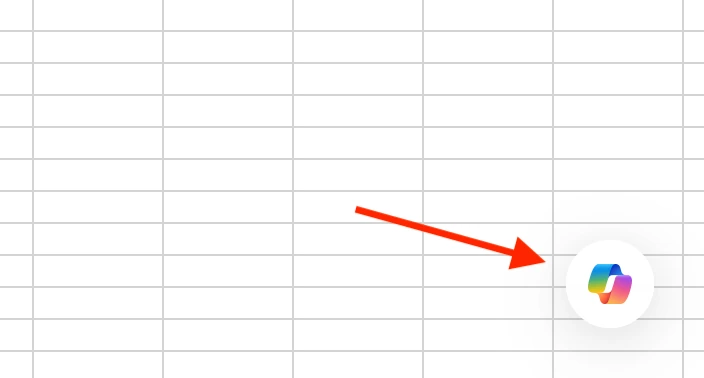 Official Microsoft screenshot of the Copilot button in the lower corner of a Microsoft Excel worksheet, from Microsoft Support. Used with permission from Microsoft.
Before choosing a tool, be clear about what each feature does and what it requires. The table summarizes the official documentation on the review date. The last column is the point that matters for Persian data.
| Feature | What it does | Requirement per official docs | Note for Persian data |
|---|---|---|---|
| Copilot in Excel | Edits sheets, writes formulas, builds charts and PivotTables, analyzes text | Microsoft 365 Personal or Family with an AI credits plan, Microsoft 365 Premium, a commercial Microsoft Copilot subscription, or a Copilot Chat eligible business subscription | Persian is not on the supported language list |
COPILOT function | Model response inside a cell | Retired on September 14, 2026 | Do not build on it |
| Analyze Data | Natural language questions, suggested charts and PivotTables | Microsoft 365 subscribers, up to 1.5 million cells | Only English, French, Spanish, German, Simplified Chinese and Japanese |
| Python in Excel | Python in cells through =PY with Anaconda libraries | Paid Microsoft 365 license with desktop apps; runs in the Microsoft Cloud | Handles Persian text, but you cannot install arbitrary libraries |
| Power Query | Repeatable connect, clean, combine and load steps | Excel for Windows, Mac and the web; Mac and web support still broadening | The main tool for normalizing letters and digits |
Forecast Sheet and FORECAST.ETS | Statistical forecast with a confidence interval | Excel 2021, Excel 2024 and Microsoft 365 on Windows | Not generative; build a period index for Jalali months |
Gemini in Google Sheets and the AI function | Side panel chat, formulas and charts; a text function in cells | An eligible Google Workspace or Google AI plan | Persian is not listed; Excel files must be converted to Sheets |
Sources for each row: Analyze Data in Excel, Introduction to Python in Excel, About Power Query in Excel, Create a forecast in Excel for Windows, Gemini in Google Sheets, the AI function in Google Sheets and supported languages for Google Workspace with Gemini.
A point most introductions miss: three rows of this table are not generative AI at all. Power Query, PivotTables and statistical forecasting carry most of the daily workload and do not depend on an outside service. A language model adds value when it sits on top of that orderly foundation, not when it replaces it.
Read the situation from the vendors themselves rather than from rumor. Microsoft's Microsoft 365 license restrictions page says a customer may assign a license to a user who resides anywhere in the world except Cuba, Iran, North Korea, Sudan and Syria. The supported regions and languages page for Microsoft Copilot says the service reaches more than 170 markets, with exceptions that include embargoed markets where Copilot is either not available or not supported.
Language is a second barrier. The supported languages list for Microsoft Copilot, last updated in February 2026, includes Arabic and Hebrew but not Persian; on the regions and languages page, Farsi appears only among the spoken languages for consumer Copilot Voice. The Copilot in Excel FAQ says plainly that the model was trained predominantly on English sources and may not perform as well in other languages. The skills guide for Copilot in Excel requires the Office display language to be English. In Google Sheets, Persian is not on the Gemini language list either.
For a user or company based in Iran, the official position is "not available", not "hard to reach". This article does not explain how to get around sanctions or license terms; doing so carries legal and security consequences for an organization, and questions about contracts or licensing belong with your legal adviser. The Copilot sections are useful to two groups: Persian-speaking teams outside Iran who hold valid licenses, and anyone who wants to understand what these tools do in order to choose a suitable alternative. The rest of the guide works with tools you can use legitimately.
No model analyzes dirty data cleanly. Four problems recur in almost every Persian dataset, and all of them should be fixed before you ask an AI anything.
Arabic yeh and kaf. In the Unicode Arabic code chart, Persian yeh (U+06CC) is a different character from Arabic yeh (U+064A) and alef maksura (U+0649), and Persian keheh (U+06A9) differs from Arabic kaf (U+0643). They look identical on screen, but Excel compares them as different text. The result: XLOOKUP misses the customer, COUNTIF undercounts and a PivotTable splits one customer across two rows.
Persian digits and separators. Extended Arabic-Indic digits (U+06F0 to U+06F9) and Arabic-Indic digits (U+0660 to U+0669) arrive as text from many systems. The Persian thousands separator (U+066C) and decimal separator (U+066B) also break numeric conversion. A number stored as text drops out of sums and quietly makes the report wrong.
Zero-width non-joiner. The ZWNJ character (U+200C) is part of correct Persian spelling. Do not strip it; remove only repeated spaces and leading or trailing whitespace.
Sheet direction. A right-to-left sheet changes only the display, moving column A to the right edge. Formulas, cell references and data order stay the same.
In Excel versions that support LAMBDA functions, these two formulas do the work at cell level. The first converts Arabic letters to Persian ones; the second turns Persian numeric text into a real number:
=TRIM(SUBSTITUTE(SUBSTITUTE(SUBSTITUTE(A2, UNICHAR(1610), UNICHAR(1740)), UNICHAR(1609), UNICHAR(1740)), UNICHAR(1603), UNICHAR(1705)))

=VALUE(REDUCE(SUBSTITUTE(SUBSTITUTE(SUBSTITUTE(B2, UNICHAR(1644), ""), ",", ""), UNICHAR(1643), "."), SEQUENCE(10, 1, 0),
  LAMBDA(acc, d, SUBSTITUTE(SUBSTITUTE(acc, UNICHAR(1776 + d), d), UNICHAR(1632 + d), d))))
For a monthly routine, Power Query is the better choice because the steps are recorded and rerun on every new export. This example normalizes the customer and amount columns:
let
    Source = Excel.CurrentWorkbook(){[Name = "Sales"]}[Content],
    FaDigits = {"۰","۱","۲","۳","۴","۵","۶","۷","۸","۹"},
    ArDigits = {"٠","١","٢","٣","٤","٥","٦","٧","٨","٩"},
    ToLatinDigits = (t as text) as text =>
        List.Accumulate({0..9}, t, (s, d) =>
            Text.Replace(Text.Replace(s, FaDigits{d}, Text.From(d)), ArDigits{d}, Text.From(d))),
    FixLetters = (t as text) as text =>
        Text.Replace(Text.Replace(Text.Replace(t, "ي", "ی"), "ى", "ی"), "ك", "ک"),
    Cleaned = Table.TransformColumns(Source, {
        {"Customer", each FixLetters(Text.Trim(Text.From(_))), type text},
        {"AmountRial", each Number.From(Text.Remove(ToLatinDigits(Text.From(_)), {"٬", ","})), Int64.Type}
    })
in
    Cleaned
Our recommendation: fix the problem at the source when you can. Adjusting the accounting system's export settings, enforcing the standard Persian keyboard on data entry forms and keeping one master customer list are all cheaper than any cleanup formula.
According to the Copilot in Excel data insights guide, Copilot can add columns or rows calculated from existing data, suggest a precise single-cell formula, pull matching values from another sheet with a formula such as XLOOKUP, and explain what the formulas in an inherited workbook do. The same page notes that naming the columns you want analyzed produces more accurate results.
Three habits make the work more reliable. First, describe the expected output: "add a column with each invoice's profit margin as a percentage, and do not treat blanks as zero". Second, for multi-step changes to a shared workbook, choose plan mode so you see the plan before anything runs. Third, because Persian is not officially supported, our recommendation is to write the prompt in English and refer to columns by letter or by an English helper name, while keeping the data itself in Persian.
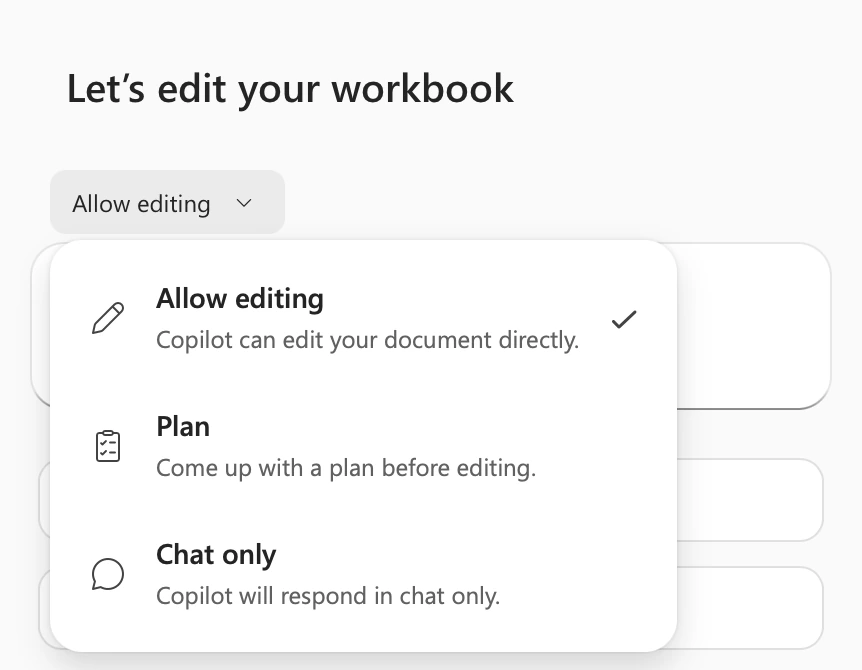 Official Microsoft screenshot of the Copilot mode menu in Microsoft Excel showing Allow editing, Plan and Chat only, from Microsoft Support. Used with permission from Microsoft.
Remember that saved Copilot changes are visible to everyone with access to the file, including people in a coauthoring session. Microsoft's FAQ says Copilot editing works only when Calculation Options are set to Automatic, and the older Strict Open XML format is not supported. If Copilot heads in the wrong direction mid-task, the Stop button at the corner of the input box halts it immediately, and you can undo the change or restore an earlier version of the file.
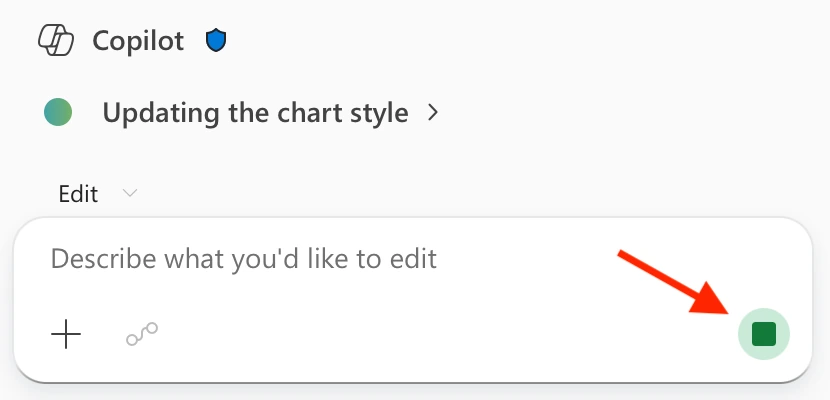 Official Microsoft screenshot of the Stop button in the Copilot input box while Copilot edits a workbook in Microsoft Excel, from Microsoft Support. Used with permission from Microsoft.
Microsoft's own Copilot in Excel FAQ warns that the tool can make mistakes and tells users to avoid relying on it for decisions in sensitive areas such as finance, legal or medical topics. For a finance team the practical meaning is clear: a generated formula is a draft, and it does not enter an official report until it has been tested. Run this checklist for every formula that feeds the financial statements or a management report:
SUMIFS. The difference should be exactly zero, not "close".XLOOKUP, use exact match and an explicit "not found" value so errors do not silently become zero.A less visible risk also applies. Text that an AI generates or summarizes can turn into a formula when it lands in a sheet if it starts with =, + or @. We cover the details and a test fixture in keeping AI-exported text from becoming spreadsheet formulas.
The Copilot getting-started guide says the tool builds charts and PivotTables with editable links to source data and can even lay out dashboards and planning templates from scratch. The older Analyze Data feature also turns natural language questions into suggested charts and PivotTables, but it understands only six languages and analyzes no more than 1.5 million cells. Both are excellent for a first draft. Trouble starts when that first draft becomes the official monthly dashboard before anyone has written down what each metric means.
Iranian workbooks have a specific trap: automatic date grouping in a PivotTable follows Gregorian months, not Jalali ones. The fix is a calendar table: one row per day with the Gregorian date, the Jalali year, month and quarter, and a label such as 1405-06, joined to the sales data by Gregorian date. You then group the PivotTable by the Jalali columns.
A reliable management dashboard does not begin with a pretty chart. Every metric needs one definition, one owner and one source; the data sheet should be separate from the view; and refreshes should run through Power Query rather than copy and paste. If your management dashboard is fed by scattered Excel files and several systems, and each month produces two reports with two different numbers, the problem is no longer a formula but the data layer; that is where our AI data analytics and management dashboard service starts.
To forecast sales or costs, do not ask a chatbot "how much will we sell next month". A language model is not a forecasting model, and its answer is neither reproducible nor accompanied by an error range. Excel already has a transparent statistical tool: according to the forecasting guide, Forecast Sheet uses the AAA version of the Exponential Smoothing (ETS) algorithm, detects seasonality automatically, tolerates up to 30 percent missing points and shows a 95 percent confidence interval by default.
The main requirement is consistent intervals between points. Jalali months run 29 to 31 days and their start dates drift against the Gregorian calendar. Because the same guide also accepts numerical intervals, our recommendation is to build a period index instead of using dates: Farvardin 1404 is period 1, Ordibehesht is period 2 and so on. Summarize the data to monthly totals before forecasting, as Microsoft advises.
Never accept a forecast without a backtest. Hold out the last six months, forecast them from earlier data and compare the error with a simple baseline such as "the same month last year". If the model does not beat the baseline, its complexity is not worth it. In product sales, months when stock ran out show sales below true demand; we explain that bias in when stockouts teach AI the wrong demand.
Microsoft's guide says Copilot can summarize large sets of text such as reviews and survey answers, identify key themes and sentiment, and add the results to the workbook as a new column. For Persian text, given the language list, do not assume this is supported until you have measured it on your own sample.
The sound method, whichever tool you use:
Excel stores dates as serial numbers based on the Gregorian calendar. Whatever the display format, YEAR, MONTH and PivotTable grouping work in Gregorian terms. In Excel for Windows, a custom format with the Persian locale code can display the same date in the Solar Hijri calendar; Iranian users commonly write it as [$-fa-IR,16]yyyy/mm/dd. Test that code on your own build and remember that it changes the display only, not the calculation.
A Jalali date that arrives from the accounting system as text, such as 1405/06/31, has to be converted to a real date once. There are two dependable routes: a calendar table built once and reused in every report, or conversion in local Python before the data reaches Excel. Python in Excel is not the right place for this, because according to Microsoft's data security page for Python in Excel, code runs in a Microsoft Cloud container without network access and works with a predefined set of libraries.
For amounts, three simple rules catch most errors. One toman equals ten rials; keep a single unit in the data and put the unit in the column name, such as amount_rial. Convert to toman or million rials only in the presentation layer, and never mix two units in one column. State the unit explicitly in any prompt to an AI as well. Finally, watch numeric precision: according to Excel specifications and limits, Excel keeps 15 digits of precision. A large company's annual rial totals can exceed that, and the trailing digits are rounded silently; reporting in million rials, or keeping the ledger itself in the accounting system, removes the risk.
The absence of Copilot does not mean the absence of AI in Excel work. These routes use tools an organization can obtain legitimately:
XLOOKUP and statistical forecasting, in whichever spreadsheet software you are licensed to use, handle much of the work with no outside service at all.What is missing from this list matters too: personal accounts on public chatbots for company data, and anything that relies on working around license terms.
Microsoft's enterprise data protection page explains that organizational use of Microsoft Copilot and Copilot Chat with a work account is covered by the Data Protection Addendum and Product Terms, and that prompts and responses are not used to train foundation models. That commitment depends on an organizational contract. A personal account on a public chatbot creates no such contract between your company and the provider, and control over retention, access and jurisdiction leaves your hands.
Keep the rules simple and written down:
For Python in Excel, Microsoft says code runs in isolated containers, has no access to the network or the user's computer, and data is not persisted in the cloud. Those are good commitments, but they depend on the same license that cannot be assigned to a user residing in Iran.
Imagine a hypothetical distribution company exporting sales for the first half of 1405, about twelve thousand rows, from its accounting system. Columns: Jalali date as text, customer name, rial amount with Persian digits and the Persian thousands separator, and a customer comment. The goal: a monthly sales report by Jalali month, classified comments and a three-month forecast, without data leaving the company.
Step 1: export and clean. Export the file as UTF-8 and keep the original read-only. This script runs on the company's own machine. The open-source jdatetime package converts Jalali dates to Gregorian; check its version and license in your environment.
import pandas as pd
import jdatetime

DIGITS = str.maketrans("۰۱۲۳۴۵۶۷۸۹٠١٢٣٤٥٦٧٨٩", "01234567890123456789")
LETTERS = str.maketrans({"ي": "ی", "ى": "ی", "ك": "ک"})

def clean_text(value) -> str:
    # split() does not treat the zero-width non-joiner as a space, so it is kept
    return " ".join(str(value).translate(LETTERS).split())

df = pd.read_csv("sales_1405_h1.csv", encoding="utf-8-sig", dtype=str)
df.columns = ["date_jalali", "customer", "amount_rial", "comment"]

df["customer"] = df["customer"].map(clean_text)
df["comment"] = df["comment"].fillna("").map(clean_text)
df["amount_rial"] = pd.to_numeric(
    df["amount_rial"].str.translate(DIGITS).str.replace("[٬,]", "", regex=True),
    errors="coerce",
)
bad_amounts = df[df["amount_rial"].isna()]  # review these rows by hand

parts = df["date_jalali"].str.translate(DIGITS).str.split("/", expand=True).astype(int)
df["j_year"], df["j_month"], df["j_day"] = parts[0], parts[1], parts[2]
df["date"] = [
    jdatetime.date(int(y), int(m), int(d)).togregorian()
    for y, m, d in zip(df["j_year"], df["j_month"], df["j_day"])
]
df["period"] = (df["j_year"] - 1405) * 12 + df["j_month"]
Step 2: classify with a local model. Choose a model whose license permits commercial use and that you have already tested on Persian. The labels are English and closed so counts stay stable; add Persian display names later in Excel.
import json
from typing import Literal
from ollama import chat
from pydantic import BaseModel

class Label(BaseModel):
    category: Literal["delivery", "price", "quality", "service", "other"]
    sentiment: Literal["positive", "neutral", "negative"]

SCHEMA = Label.model_json_schema()
INSTRUCTIONS = (
    "Classify one Persian customer comment for a sales review. "
    "Use 'other' when the comment is unclear. Reply only with JSON matching: "
    + json.dumps(SCHEMA)
)

def classify(comment: str) -> Label:
    response = chat(
        model="YOUR_TESTED_LOCAL_MODEL",
        messages=[
            {"role": "system", "content": INSTRUCTIONS},
            {"role": "user", "content": comment},
        ],
        format=SCHEMA,
        options={"temperature": 0},
    )
    return Label.model_validate_json(response.message.content)

has_text = df["comment"] != ""
labels = df.loc[has_text, "comment"].map(classify)
df.loc[has_text, "category"] = labels.map(lambda x: x.category)
df.loc[has_text, "sentiment"] = labels.map(lambda x: x.sentiment)
Step 3: controls before release. Run three tests before anyone sees the report: the row count matches the accounting system's report; the amount_rial total matches that system's total for the same period exactly; and every row in bad_amounts is reviewed individually. For classification, have a colleague label 150 random comments and compute agreement for each label. Our recommendation: if agreement on a label that drives decisions falls below the threshold you agreed with the sales manager in advance, leave that label out of the report.
sample = df[has_text].sample(n=150, random_state=1405)
sample.to_csv("review_sample.csv", index=False, encoding="utf-8-sig")
# after a colleague fills the human_category column:
done = pd.read_csv("review_sample_done.csv", encoding="utf-8-sig")
print(pd.crosstab(done["human_category"], done["category"]))
Step 4: write back to Excel safely. Write the file so that customer comment text can never become a formula:
with pd.ExcelWriter(
    "sales_1405_h1_clean.xlsx",
    engine="xlsxwriter",
    engine_kwargs={"options": {"strings_to_formulas": False, "strings_to_urls": False}},
) as writer:
    df.to_excel(writer, sheet_name="data", index=False)
Step 5: report in Excel. Format the data as a table, build a PivotTable on j_year, j_month and category, and chart the monthly totals from that PivotTable. For the forecast, feed monthly totals keyed on the period column into Forecast Sheet and run the six-month backtest before publishing. Finally, add one note row inside the workbook: data version, model used, run date and reviewer name. That single row is what makes the report defensible at the next review.
To move the same data into the accounting system or an approval queue, we describe the internal control principles in AI in accounting and financial document automation: machine output must be reviewable by a person before it has any financial effect.
Is Copilot in Excel free? According to Microsoft's FAQ, business users with a Copilot Chat eligible subscription get standard access, and the Microsoft Copilot add-on license adds priority access. Personal users need Microsoft 365 Premium or an AI credits plan. For a user residing in Iran, a Microsoft 365 license cannot be assigned.
Can I prompt Copilot in Persian? Persian is not on the official language list. You may get an answer, but its quality is not assured; write prompts in English and test the results.
What happened to the COPILOT function? It was retired on September 14, 2026. Earlier values remain, but recalculation returns #NAME?.
Where should a team in Iran start with AI in Excel? With Persian data cleanup in Power Query. Next, try local Python and a local model for text analysis and repetitive work, and for a management dashboard, write down the metric definitions first.
All pages were reviewed on September 24, 2026. The license restrictions page on microsoft.com blocked automated access; the sentence about Iran was confirmed from that page's indexed text and from an answer by a Microsoft employee on the official Microsoft Q&A forum.
Document AI can copy every digit and still misread a table. Preserve header relationships, units and notes before letting extracted numbers drive a report or action.
Read More
Install Cursor on macOS, Windows, or Linux, then learn Tab, inline edit, Agent and Plan modes, rules, MCP, privacy, pricing, and what developers in Iran need to know.
Read More
Run n8n on an Iranian server with Docker Compose, PostgreSQL, and HTTPS: domestic image mirrors, backups, upgrades, queue mode, local Ollama models, and Jalali dates.
Read MoreIf you want the agents and automation in this guide working for your engineering team or business processes, start with a small pilot you can measure.