Automated scan intake
Scheduled synchronization imports consultations, scores, and feature imagery while de-duplicating repeated source records.
The clinician workspace for patient rosters, incoming VISIA scans, longitudinal review, treatment plans, and shared catalogues.

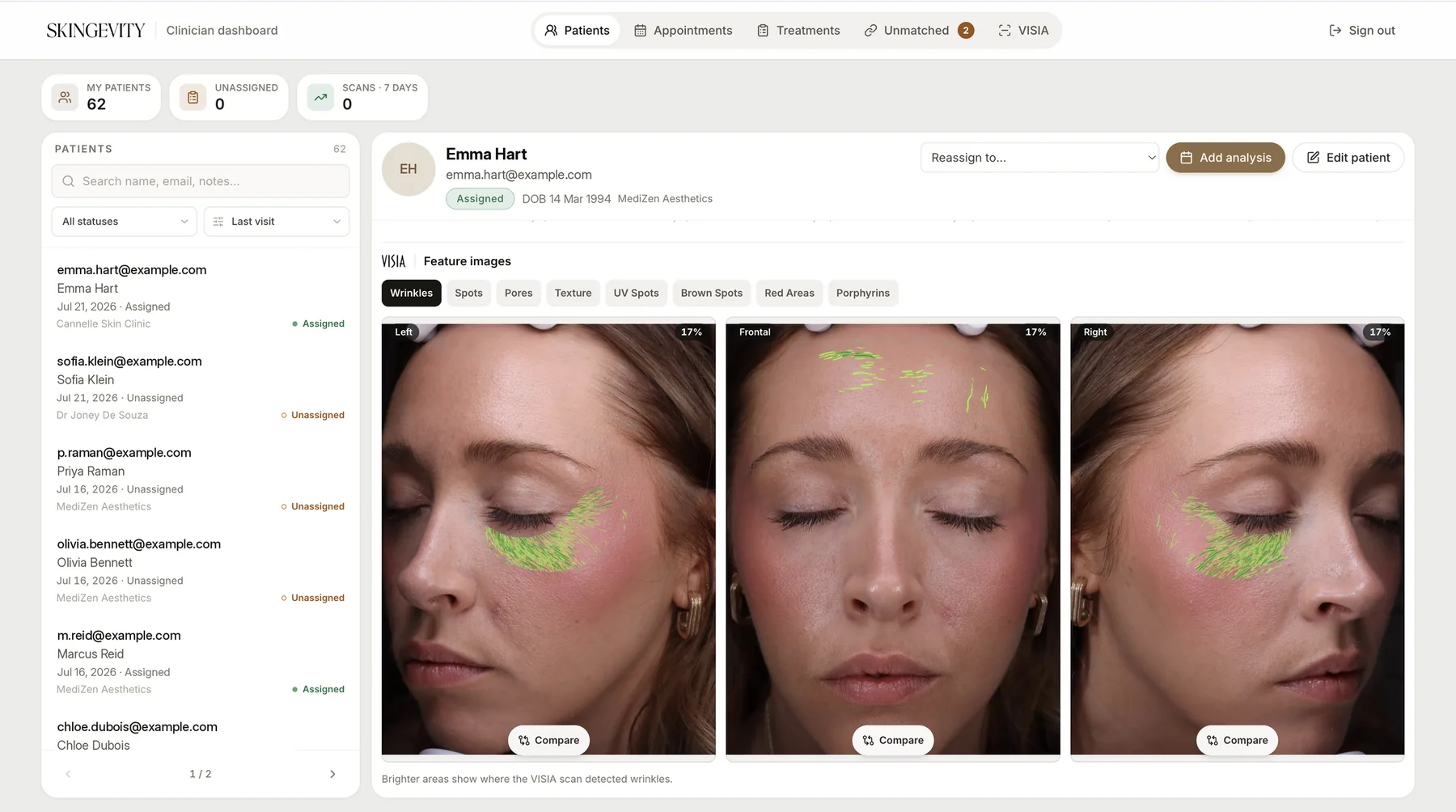
The Skingevity Dashboard is the clinical counterpart to the patient app. It gives practitioners a focused workspace to review patients, match incoming scans, inspect longitudinal skin metrics, build treatment plans, and manage a shared treatment catalogue with clinic-aware permissions. Scheduled synchronization pulls new consultations and feature imagery from clinic VISIA systems. Clinicians resolve unmatched captures, review the complete scan timeline, and publish the same treatment milestones that the patient sees on their phone.
Scheduled synchronization imports consultations, scores, and feature imagery while de-duplicating repeated source records.
Search, filters, assignment states, and clinic-aware permissions keep practitioner work focused.
New captures without an app identity remain in a dedicated queue until staff connect them to the correct patient.
Every scan, metric, image, and visit date is available on one patient timeline for clinical comparison.
Milestones, due dates, notes, and completion states are authored once and published into the patient app.
A common catalogue of clinic treatments feeds practitioner planning and the patient-facing product.
Clinic hardware captured rich analysis, but staff still needed a reliable way to match records, review history, and turn findings into a plan shared with the patient.
The dashboard automates intake, centralizes longitudinal review, and publishes treatment decisions into the patient product.