An AI bot on Bale, the Iranian messenger, needs three pieces: a bot account you create inside Bale with BotFather, a small program that reads messages from the Bale Bot API and sends replies, and a language model that understands the user and writes the answer in Persian. The API is plain HTTPS, and the official Bale bot documentation says it is based on the Telegram Bot API with minor changes, so Python, PHP, C# and n8n can all talk to it. This tutorial builds all three pieces step by step. At the end you have a Persian assistant that answers, remembers the last few turns of each conversation, and says something useful instead of going silent when the model is down.
Bale calls a bot a bazoo (بازو), so "Bale bot", "Bale robot" and "Bale chatbot" all mean the same thing. This guide was checked on November 16, 2026 (25 Aban 1405) against Bale's bot documentation, FAQ and terms of use, the n8n and Ollama documentation, and the n8n source code. It is written for developers and technical leads who want a working assistant for a business, not a demo. We ran the Python and PHP listings against a local simulator that mimics the documented Bale API responses and a stand-in model server. We did not test them against a live Bale bot, and wherever Bale's documentation is silent or contradicts itself, the text says so.
What a Bale bot is and what the Bot API offers
A bot is an account driven by your program instead of a person. Every message a user sends to the bot creates an update, and your program receives updates in one of two ways: by calling getUpdates repeatedly, or through a webhook, an address on your server that Bale posts updates to. The Bale FAQ states that you cannot use both at the same time. If your program is offline for a while, the documentation says Bale keeps the latest 2,000 updates for 24 hours.
Every request goes to https://tapi.bale.ai/bot<token>/METHOD_NAME. Both GET and POST work, and parameters can travel in the query string, as a URL-encoded form, as JSON, or as multipart/form-data for file uploads. Responses are always JSON with an ok field. On success the payload is in result; on failure you get error_code, description and sometimes parameters.retry_after. Method names are case-insensitive and all text must be UTF-8.
A bot can receive text, photos, files, audio, voice messages, video, stickers, contacts, locations and payment messages. There are two kinds of buttons. A reply keyboard replaces the user's keyboard and can send their phone number or location with their permission. Inline buttons sit under a message and open a link, launch a mini app, copy a text, or send 1 to 64 bytes of data back to the bot. After a user taps an inline button, it stays in a waiting state until the bot calls answerCallbackQuery, so call it even when you have nothing to show.
Not everything from Telegram exists on Bale. The FAQ says many methods are still in development, and the documentation names specific differences: each bot has one command list shared by all users, and Telegram's scope and language_code parameters for setMyCommands are not supported. In the other direction, Bale has methods that Telegram libraries do not know about, such as askReview for showing a rating form.
Know these numbers before you design anything. The source column matters, because Bale's official pages do not always agree:
| Item | Value | Source |
|---|
| Text length of one message | 1 to 4,096 characters | sendMessage docs |
| Undelivered updates | Latest 2,000, kept for 24 hours | Bot documentation |
Updates per getUpdates call | 1 to 100, default 100 | getUpdates docs |
| "Typing" indicator | Shown for at most 6 seconds | sendChatAction docs |
Downloading with getFile | Up to 20 MB; the download link is valid for one hour | getFile docs |
| Sending files | Docs: photos up to 10 MB, other files up to 50 MB (by URL: 5 and 20 MB); FAQ: up to 500 MB | Both pages |
| Sending rate to one chat | Developer page: stay under 2 per second, with an exact cap of 20 per second and 120 per minute; FAQ: a cap of 2 per second and 120 per minute | Bale developer page and FAQ |
| Webhook ports | Docs: 443 and 88; FAQ: 443, 80, 88 and 8443 | Docs and FAQ |
The main documentation gives no rate figure at all. It says each bot's capacity is calculated "interactively", from how much users engage with it in private chats. Our working rule: where the pages disagree, design for the stricter number. That means fewer than two messages per second to any one chat, port 443 for webhooks, and files under 20 MB if the bot has to download them.
Create the Bale bot and get its token from BotFather
-
In the Bale app, on a phone or computer, open ble.ir/botfather. The bot's profile introduces itself in Persian; in translation it says: "Hi, I am BotFather. You can create and manage your bots with me. Send /help to see the list of all my commands."
-
Start the chat and send /start. BotFather works through buttons: tap the option for creating a new bot and answer its questions. The last question is the bot's username. It later appears in the link ble.ir/<bot_username>, so keep it short and readable. Bale's written documentation does not publish this dialogue; what you read in this section comes from creating a test bot on November 16, 2026, and it may change later. If you want to see the steps before you start, Bale's course page describes its video "Mini apps in Bale: from development to launch" as also showing how to create a bot in BotFather.
-
After you send the username, BotFather replies «بازوی شما با موفقیت ساخته شد!» ("Your bot was created successfully!"). The message carries three things: «نام بازو» (the bot's name, which is the username with an @), «لینک دسترسی» (the access link, in the form ble.ir/<bot_username>) and «توکن دسترسی» (the access token). Under the message, the «رونوشت توکن» button copies the token. According to the documentation a token is a number, a colon and a long string of letters and digits: something shaped like 123456789: followed by a few dozen characters. The same message points out that a bot shows up in Bale's search only once it has more than 20 monthly users. Until then, open the bot through its direct link and give that link to your users. After this message, BotFather shows the management menu for that bot, with buttons such as «ویرایش بازو» (edit bot), «مدیریت کامندها» (manage commands), «عضویت بازو در گروه» (group membership), «تنظیمات مینیاپ» (mini-app settings), «پرداخت در بازو» (payments), «دریافت نظرات» (collect reviews), «بازیابی توکن» (token recovery) and «حذف بازو» (delete bot).
-
Test the token. Open this address with your own token in a browser, or run it in a terminal:
export BALE_TOKEN='123456789:replace-with-your-token'
curl -sS "https://tapi.bale.ai/bot$BALE_TOKEN/getMe"
A valid token returns "ok":true with the bot's numeric ID, is_bot set to true, its name and its username inside result. With a bad token, the getMe documentation says you get error_code 401 with the description Unauthorized.
-
Register a command list so users see it when they type /. Each command name is 2 to 32 characters of Latin letters, digits and underscores:
curl -sS "https://tapi.bale.ai/bot$BALE_TOKEN/setMyCommands" \
-H 'Content-Type: application/json' \
-d '{"commands":[{"command":"start","description":"شروع گفتوگو"},{"command":"reset","description":"پاک کردن حافظه گفتوگو"},{"command":"human","description":"گفتوگو با همکار انسانی"}]}'
The token is the bot's master key. Anyone who has it can send messages as your bot and read what its users send. Keep it out of code, git repositories and team chats. The Bale FAQ says that if you lose it, you revoke the old token in BotFather and receive a new one; if it leaks, do the same at once. The bot's management menu has a «بازیابی توکن» (token recovery) button for this. One thing to plan for: Bale's terms of use define two bot levels based on user engagement, and a bot whose audience grows must be upgraded through developer identity verification in BotFather to keep operating. The same terms say the date this takes effect will be announced on Bale's bot news channel (ble.ir/botnews). In our test on November 16, 2026, the upgrade was available in BotFather itself. BotFather explains that every bot starts at level one, and that only level-two bots can be featured in Bale, for example on the services page or in ads. To upgrade, it asks for the national ID of the person who owns the mobile number registered in Bale and for their date of birth, and then reports that all of that developer's bots, including ones created later, are at level two.
A Bale bot in Python: the first bot with getUpdates
Before adding AI, build an echo bot that returns whatever text it receives. It tests three things at once: the token, your server's network path to tapi.bale.ai, and the update loop. The code uses only Python 3's standard library, so nothing has to be installed. On Iranian servers, where access to the Python package index is not always stable, that is a real advantage. Save it as bale_echo.py:
import http.client
import json
import os
import sys
import time
import urllib.error
import urllib.request

TOKEN = os.environ.get("BALE_TOKEN", "")
API = f"https://tapi.bale.ai/bot{TOKEN}"
ERRORS = (OSError, ValueError, KeyError, TypeError, RuntimeError, http.client.HTTPException)


def bale(method, payload=None, timeout=15):
    """Call one Bale Bot API method and return its result field."""
    request = urllib.request.Request(
        f"{API}/{method}",
        data=json.dumps(payload or {}).encode("utf-8"),
        headers={"Content-Type": "application/json"},
    )
    try:
        with urllib.request.urlopen(request, timeout=timeout) as response:
            body = json.load(response)
    except urllib.error.HTTPError as error:
        body = json.loads(error.read() or b"{}")
    if not body.get("ok"):
        raise RuntimeError(f"{method}: {body.get('error_code')} {body.get('description')}")
    return body["result"]


def main():
    if not TOKEN:
        sys.exit("Set BALE_TOKEN first.")
    me = bale("getMe")
    print("Connected as", me.get("username"))
    offset = None
    while True:
        params = {"timeout": 30}
        if offset is not None:
            params["offset"] = offset
        try:
            updates = bale("getUpdates", params, timeout=40)
        except ERRORS as error:
            print("getUpdates failed:", error, file=sys.stderr)
            time.sleep(5)
            continue
        for update in updates:
            offset = update["update_id"] + 1
            message = update.get("message") or {}
            text = message.get("text")
            if not text:
                continue
            try:
                bale("sendMessage", {"chat_id": message["chat"]["id"], "text": text})
            except ERRORS as error:
                print("sendMessage failed:", error, file=sys.stderr)


if __name__ == "__main__":
    main()
Run it:
export BALE_TOKEN='123456789:replace-with-your-token'
python3 bale_echo.py
The terminal prints Connected as followed by the bot's username. Send the bot a message in Bale and it comes straight back. Three parts of the code deserve a word:
- Long polling. The
timeout parameter of getUpdates asks Bale's server to wait up to 30 seconds for a new message before returning an empty list. The request's own timeout is 40 seconds so that it always outlasts the server's wait.
- Acknowledging with
offset. The getUpdates documentation says offset must be one more than the highest update_id received, and that doing so marks earlier updates as confirmed. Skip it and, as the Bale FAQ explains, the first 100 updates in the queue come back again and again.
- Network errors do not kill the loop. An outage or a malformed response only causes a five-second pause. A bad token in
getMe, on the other hand, stops the program on purpose so the configuration problem is visible.
Building a Bale bot with AI: connect a language model
Now replace the echo with a language model. The code below works with any server that offers an OpenAI-compatible chat completions endpoint at /v1/chat/completions. The choice of model is yours, and there are three legitimate routes:
- A model on your own machine or server. Run an open model locally with Ollama; installation and model choice are covered in our Ollama installation tutorial. The Ollama OpenAI-compatibility documentation uses the base URL
http://localhost:11434/v1/ and says an API key is required by client libraries but ignored by the local server.
- A domestic provider. Several Iranian providers sell OpenAI-compatible endpoints. Before choosing one, ask the questions in our guide to AI API access in Iran, above all where the model physically runs.
- Any provider whose terms allow your use. For a bot whose users are in Iran, that condition decides the matter. For example, OpenAI's supported countries page does not list Iran and warns that accessing or offering access outside the listed countries may lead to the account being blocked.
Save this as bale_ai_bot.py:
import hashlib
import http.client
import json
import os
import re
import sys
import threading
import time
import urllib.error
import urllib.request
from collections import OrderedDict, deque
BALE_TOKEN = os.environ.get("BALE_TOKEN", "")
BALE_API = f"https://tapi.bale.ai/bot{BALE_TOKEN}"
LLM_BASE_URL = os.environ.get("LLM_BASE_URL", "http://localhost:11434/v1").rstrip("/")
LLM_API_KEY = os.environ.get("LLM_API_KEY", "local")
LLM_MODEL = os.environ.get("LLM_MODEL", "")
OPERATOR_CHAT_ID = os.environ.get("OPERATOR_CHAT_ID", "")
ERRORS = (OSError, ValueError, KeyError, IndexError, TypeError, AttributeError,
RuntimeError, http.client.HTTPException)
SYSTEM_PROMPT = (
"تو دستیار پاسخگوی «فروشگاه نمونه» در پیامرسان بله هستی. "
"کوتاه، مؤدبانه و به فارسی روان جواب بده؛ حداکثر پنج جمله. "
"متن ساده بنویس و از ستاره، علامت # و جدول برای قالببندی استفاده نکن. "
"فقط درباره محصولات، ارسال و ساعت کاری فروشگاه حرف بزن و برای موضوعهای دیگر "
"مؤدبانه بگو در این زمینه کمکی از تو برنمیآید. "
"اگر جواب را مطمئن نمیدانی حدس نزن؛ بگو با فرستادن /human پیام به همکار انسانی میرسد. "
"هرگز رمز، شماره کارت، کد یکبارمصرف یا کد ملی از کاربر نخواه."
)
WELCOME = (
"سلام! من دستیار خودکار فروشگاه نمونه هستم و با هوش مصنوعی جواب میدهم، "
"پس ممکن است اشتباه کنم. برای گفتوگو با همکار انسانی /human "
"و برای شروع دوباره /reset را بفرستید."
)
BUSY = "الان نمیتوانم جواب بدهم. چند دقیقه دیگر دوباره بپرسید یا /human را بفرستید."
SLOW_DOWN = "پیامها خیلی سریع رسیدند. یک دقیقه صبر کنید و دوباره بپرسید."
NO_OPERATOR = "فعلاً همکار انسانی به این بازو وصل نیست. لطفاً بعداً دوباره بپرسید."
MAX_TURNS = 6
MAX_CHATS = 1000
MAX_INPUT_CHARS = 1500
MAX_PER_MINUTE = 6
MAX_WAIT = 30
TEXT_LIMIT = 4000
chats = OrderedDict()
lock = threading.Lock()
def log(event, chat_id=None, **fields):
"""Record what happened, never what anyone wrote."""
if chat_id is not None:
fields["chat"] = hashlib.sha256(str(chat_id).encode()).hexdigest()[:12]
print(json.dumps({"t": int(time.time()), "event": event, **fields}), file=sys.stderr)
def post_json(url, payload, headers, timeout):
request = urllib.request.Request(
url,
data=json.dumps(payload).encode("utf-8"),
headers={"Content-Type": "application/json", **headers},
)
try:
with urllib.request.urlopen(request, timeout=timeout) as response:
return json.load(response)
except urllib.error.HTTPError as error:
return json.loads(error.read() or b"{}")
def bale(method, payload=None, timeout=15):
for attempt in range(3):
body = post_json(f"{BALE_API}/{method}", payload or {}, {}, timeout)
if body.get("ok"):
return body["result"]
retry_after = (body.get("parameters") or {}).get("retry_after")
if body.get("error_code") == 429 and retry_after and attempt < 2:
time.sleep(min(int(retry_after), MAX_WAIT))
continue
raise RuntimeError(f"{method}: {body.get('error_code')} {body.get('description')}")
def ask_model(messages):
body = post_json(
f"{LLM_BASE_URL}/chat/completions",
{"model": LLM_MODEL, "messages": messages, "temperature": 0.3},
{"Authorization": f"Bearer {LLM_API_KEY}"},
timeout=120,
)
answer = (body["choices"][0]["message"].get("content") or "").strip()
if not answer:
raise ValueError("empty answer from the model")
return answer
def plain_text(text):
"""Bale renders its own Markdown, so drop the model's."""
text = re.sub(r"\*\*|__|`+", "", text)
text = re.sub(r"^#{1,6}[ \t]*", "", text, flags=re.MULTILINE)
text = re.sub(r"^[ \t]*[*-][ \t]+", "• ", text, flags=re.MULTILINE)
return re.sub(r"\n{3,}", "\n\n", text).strip() or "…"
def send_long(chat_id, text):
"""Send the answer in pieces Bale accepts, cut at a paragraph, a line or a word."""
while text:
cut = len(text)
if cut > TEXT_LIMIT:
cut = TEXT_LIMIT
for separator in ("\n\n", "\n", " "):
found = text.rfind(separator, TEXT_LIMIT // 2, TEXT_LIMIT)
if found != -1:
cut = found
break
bale("sendMessage", {"chat_id": chat_id, "text": text[:cut]})
text = text[cut:].lstrip()
def chat_state(chat_id):
"""This chat's memory; only the MAX_CHATS most recently active chats are kept."""
with lock:
state = chats.pop(chat_id, None) or {"turns": deque(maxlen=MAX_TURNS * 2), "times": deque()}
chats[chat_id] = state
while len(chats) > MAX_CHATS:
chats.popitem(last=False)
return state
def over_limit(state):
"""Count this message; return how far the chat is over MAX_PER_MINUTE (0 if not)."""
now = time.monotonic()
with lock:
times = state["times"]
while times and now - times[0] > 60:
times.popleft()
times.append(now)
return max(0, len(times) - MAX_PER_MINUTE)
def handle(message):
chat = message.get("chat") or {}
if chat.get("type") != "private":
return
chat_id = chat["id"]
text = (message.get("text") or "").strip()
state = chat_state(chat_id)
excess = over_limit(state)
if excess:
if excess == 1:
bale("sendMessage", {"chat_id": chat_id, "text": SLOW_DOWN})
log("rate_limited", chat_id)
return
if not text:
bale("sendMessage", {"chat_id": chat_id, "text": "فعلاً فقط پیام متنی را میفهمم."})
return
if text.startswith("/start") or text == "/reset":
with lock:
state["turns"].clear()
bale("sendMessage", {"chat_id": chat_id, "text": WELCOME})
return
if text == "/human":
reply = NO_OPERATOR
if OPERATOR_CHAT_ID:
user = message.get("from") or {}
name = re.sub(r"[\[\]()*_`]", "", user.get("first_name", ""))
username = f" @{user['username']}" if user.get("username") else ""
try:
bale("sendMessage", {"chat_id": OPERATOR_CHAT_ID,
"text": f"درخواست گفتوگو با انسان: {name}{username}، شناسه گفتوگو {chat_id}"})
reply = "پیامتان به همکار ما رسید و در ساعت کاری جواب میگیرید."
log("handoff", chat_id)
except ERRORS as error:
log("handoff_failed", chat_id, kind=type(error).__name__)
bale("sendMessage", {"chat_id": chat_id, "text": reply})
return
try:
bale("sendChatAction", {"chat_id": chat_id, "action": "typing"})
except ERRORS:
pass
question = text[:MAX_INPUT_CHARS]
with lock:
past = list(state["turns"])
messages = [{"role": "system", "content": SYSTEM_PROMPT}, *past,
{"role": "user", "content": question}]
started = time.monotonic()
try:
answer = plain_text(ask_model(messages))
except ERRORS as error:
log("model_error", chat_id, kind=type(error).__name__)
bale("sendMessage", {"chat_id": chat_id, "text": BUSY})
return
with lock:
state["turns"].extend([{"role": "user", "content": question},
{"role": "assistant", "content": answer}])
send_long(chat_id, answer)
log("answered", chat_id, seconds=round(time.monotonic() - started, 1),
chars_in=len(question), chars_out=len(answer))
def main():
if not BALE_TOKEN or not LLM_MODEL:
sys.exit("Set BALE_TOKEN and LLM_MODEL first.")
print("Connected as", bale("getMe").get("username"))
offset = None
while True:
params = {"timeout": 30}
if offset is not None:
params["offset"] = offset
try:
updates = bale("getUpdates", params, timeout=40)
except ERRORS as error:
log("poll_error", kind=type(error).__name__)
time.sleep(5)
continue
for update in updates:
offset = update["update_id"] + 1
if "message" in update:
try:
handle(update["message"])
except Exception as error:
log("handle_error", kind=type(error).__name__)
if __name__ == "__main__":
main()
For a local model, give the name of a model you have in Ollama. For a provider, set their base URL and key:
export BALE_TOKEN='123456789:replace-with-your-token'
export LLM_MODEL='your-model-name'
python3 bale_ai_bot.py
The bot's user-facing strings are in Persian on purpose, since this is a Persian assistant. What the code adds, and why:
- A Persian system prompt. It limits answers to the shop's business, tells the model not to guess when unsure, and forbids asking for sensitive data such as passwords, card numbers, one-time codes or national ID numbers. It is a sample; rewrite it in your own business's voice and rules. The principles behind such instructions are in our prompt writing guide.
- Short memory per chat. The last six exchanges of each chat stay in the program's memory so a follow-up such as "and on Thursdays?" makes sense. Only the 1,000 most recently active chats are kept, and the oldest are dropped first, so memory use cannot grow without limit as users arrive. The memory disappears when the program stops, and
/reset clears it. That is a deliberate privacy choice: conversations are never written anywhere.
- Model errors. If the model does not answer within 120 seconds, returns an error or returns an empty answer, the user gets a short "I can't answer right now" message rather than silence.
- Bale's 429 error. If Bale says you are sending too fast, the code waits for
retry_after seconds, at most 30, and retries up to two times. The 30-second cap keeps a single 429 from stalling the whole bot for long.
- A per-chat message cap. The code accepts at most six messages a minute from each chat, commands included. The warning goes out once and further messages get no reply, so the bot does not hit Bale's own sending limits by answering a flood.
- Formatting. Bale renders every message with its own Markdown dialect. The message formatting page says bold text uses a single asterisk on each side and that
** is not supported. Models usually write standard Markdown, so plain_text removes the extra symbols before raw asterisks and hash marks reach the user.
- Long answers. Anything longer than 4,000 characters goes out in several messages so no single message exceeds the 4,096-character limit. The cut falls on a paragraph, line or word boundary, so no word is split across two messages.
- The typing indicator.
sendChatAction goes out before the model call. Bale shows it for at most six seconds; if your model is slower, repeat it every five seconds or accept a gap. If sending the indicator fails, the code moves on and still sends the answer.
One limitation: this loop answers messages one at a time. If the model spends 20 seconds on one user, the next user waits 20 seconds longer. That is fine for a pilot and a handful of users; beyond that, see the webhook version below.
Persian quality varies a lot between models, and small local models sometimes produce stiff or ungrammatical sentences. Before launch, collect 30 to 50 real customer questions and compare several models on exactly those.
Answering from your organisation's own documents
A system prompt gives the model a tone and boundaries, but it does not know your prices, stock, delivery terms or policies. Asked about them, the model may confidently invent an answer that appears in no document. The standard fix is retrieval-augmented generation: split your approved documents into passages and index them, fetch the few passages relevant to each question, and hand them to the model with the instruction "answer only from this text, name the source, and say you don't know if it isn't there."
In the code above, that step belongs just before ask_model: add the retrieved passages to messages as a second system message. Design, Persian answer evaluation and rollout are covered in our Persian chatbot guide for business, and why most such systems fail at the retrieval layer is explained in the retrieval discipline. One security warning: retrieved text can carry hidden instructions. OWASP's prompt injection entry, LLM01:2025 in its Top 10 for LLM applications, explains that indirect injection happens when the model takes in input from external sources such as websites or files, so do not give an answering bot any tool that takes action.
Webhooks instead of getUpdates: when and how
getUpdates needs only an outbound connection from your server to tapi.bale.ai and works without a domain or public address, which makes it the best choice for a first version and for small bots. A webhook pays off when you have many users and want to answer several messages at once, or when your program is already a web service with a domain and a valid certificate. With a webhook, Bale delivers each update as an HTTPS POST to your address.
The Bale FAQ sets five conditions for webhooks: an SSL certificate, one of the supported ports, wildcard certificates possibly not being supported, no redirects, and a certificate CN that exactly matches your domain. Because the port lists in the documentation and the FAQ differ, use port 443, which appears in both.
Authenticating requests. The setWebhook documentation lists a single parameter, url, and no secret header or signing parameter is documented. The Bale FAQ's own advice is to put a secret path in the webhook address. We suggest that path be a random value separate from the token, because URLs end up in proxy logs and monitoring tools, and seeing one should not hand anyone control of the bot.
Answer fast, think later. Bale's documentation says nothing about webhook response timeouts or retry behaviour, but it does explain that update_id is especially useful with webhooks for ignoring duplicate updates. The safe assumption is that an update may arrive more than once. The code below acknowledges each request at once with status 200, queues the update, lets four background workers answer it through the same handle function, and drops IDs it has already seen. Save it as bale_webhook.py next to bale_ai_bot.py:
import hmac
import json
import os
import queue
import sys
import threading
from collections import deque
from http.server import BaseHTTPRequestHandler, ThreadingHTTPServer
import bale_ai_bot as bot
SECRET = os.environ.get("WEBHOOK_SECRET", "")
PATH = f"/bale/{SECRET}"
WORKERS = 4
jobs = queue.Queue(maxsize=500)
seen_order = deque(maxlen=10_000)
seen = set()
seen_lock = threading.Lock()
def first_time(update_id):
"""Drop updates that Bale delivers more than once."""
if not isinstance(update_id, int):
return True
with seen_lock:
if update_id in seen:
return False
if len(seen_order) == seen_order.maxlen:
seen.discard(seen_order[0])
seen_order.append(update_id)
seen.add(update_id)
return True
class Handler(BaseHTTPRequestHandler):
def do_POST(self):
if not hmac.compare_digest(self.path.encode(), PATH.encode()):
self.send_response(404)
self.end_headers()
return
length = int(self.headers.get("Content-Length") or 0)
if not 0 < length <= 1_000_000:
self.send_response(413)
self.end_headers()
return
try:
update = json.loads(self.rfile.read(length))
if not isinstance(update, dict):
raise ValueError("not an update")
except ValueError:
self.send_response(400)
self.end_headers()
return
self.send_response(200)
self.end_headers()
try:
jobs.put_nowait(update)
except queue.Full:
bot.log("queue_full")
def log_message(self, format, *args):
pass
def worker():
while True:
update = jobs.get()
try:
if first_time(update.get("update_id")) and "message" in update:
bot.handle(update["message"])
except Exception as error:
bot.log("handle_error", kind=type(error).__name__)
finally:
jobs.task_done()
def main():
if len(SECRET) < 32 or not bot.BALE_TOKEN or not bot.LLM_MODEL:
sys.exit("Set BALE_TOKEN, LLM_MODEL and a WEBHOOK_SECRET of 32+ characters.")
for _ in range(WORKERS):
threading.Thread(target=worker, daemon=True).start()
ThreadingHTTPServer(("127.0.0.1", 8080), Handler).serve_forever()
if __name__ == "__main__":
main()
This server listens only on 127.0.0.1 and must sit behind an HTTPS reverse proxy. The Python documentation states plainly that http.server is not recommended for production and only implements basic security checks, so let the proxy handle TLS and request size, and move the code to a proper web framework for serious load. We walk through Caddy or Nginx with a certificate on an Iranian server in our n8n self-hosting guide for Iranian servers, and the same setup works here. One subtle detail in the code: the default request logger writes the path to the log, and the path contains the secret, so it is switched off. Your reverse proxy usually records request paths in its access log too; turn logging off for this route or mask the secret part.
To move from getUpdates to the webhook, first stop the polling program. Then, in the same terminal where BALE_TOKEN and LLM_MODEL are set, generate the secret, start the webhook server and register the address:
export WEBHOOK_SECRET="$(python3 -c 'import secrets; print(secrets.token_urlsafe(32))')"
python3 bale_webhook.py &
curl -sS "https://tapi.bale.ai/bot$BALE_TOKEN/setWebhook" \
  --data-urlencode "url=https://bot.example.ir/bale/$WEBHOOK_SECRET"
curl -sS "https://tapi.bale.ai/bot$BALE_TOKEN/getWebhookInfo"
getWebhookInfo shows the registered address. Running the server in the background with & is only for testing; in production, add WEBHOOK_SECRET to the service's environment file and point ExecStart in the systemd unit from the "Protecting the token" section at bale_webhook.py. To go back to getUpdates, call deleteWebhook. Two caveats. The workers may answer two quick messages from the same user in parallel; if order matters, run one worker or keep a separate queue per chat. And if the bot ever does more than reply with text, such as placing an order, de-duplicating on update_id is not enough; we explain why in a signed webhook is not permission to run the workflow again.
Building a Bale bot with n8n
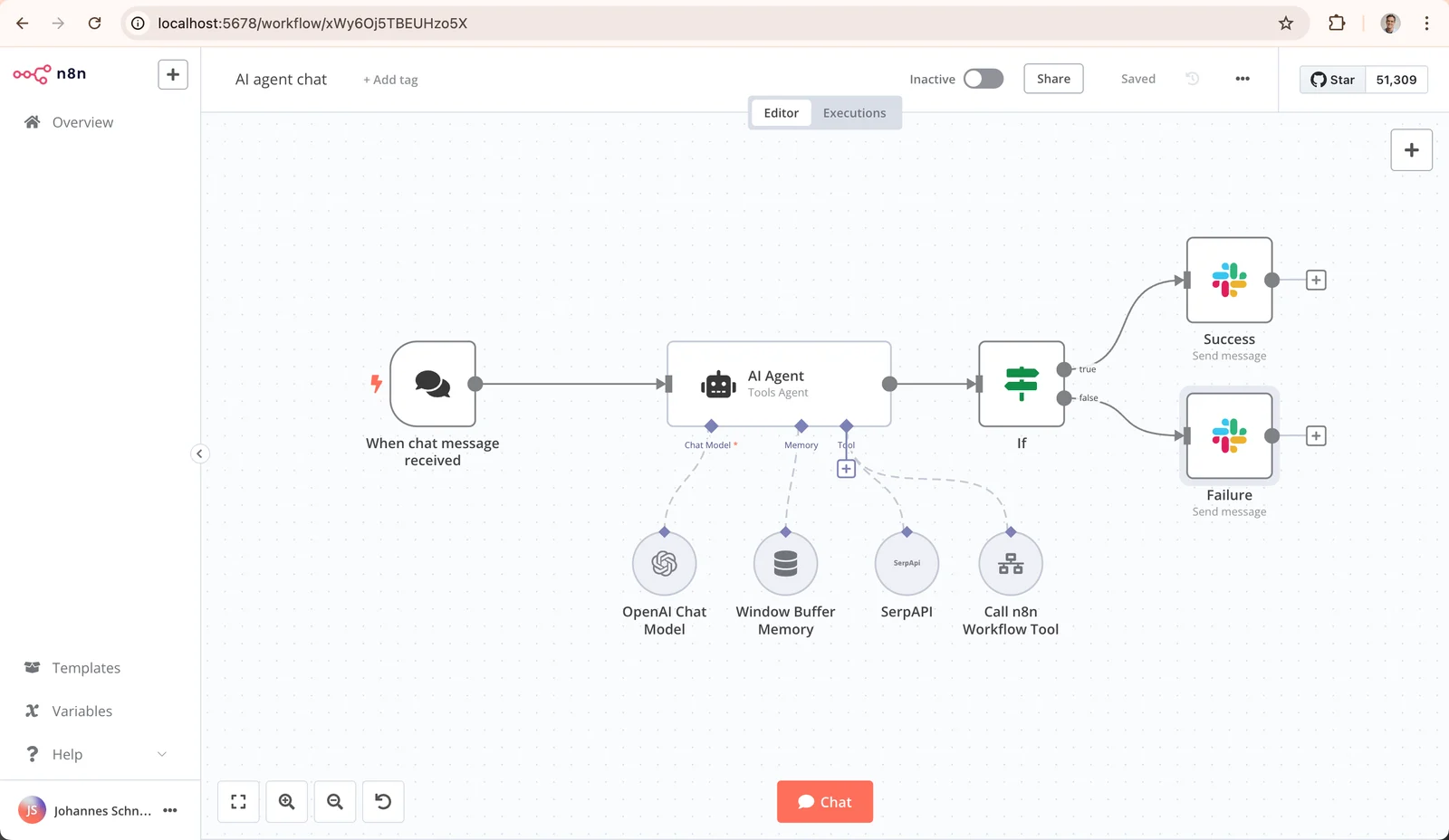
n8n has no built-in Bale node; we found none under that name in n8n's built-in node source. That leaves three routes, and only the first can be justified from documentation:
-
The generic Webhook and HTTP Request nodes. Bale posts updates to a Webhook node and the reply goes back with an HTTP request to sendMessage. Everything is documented and no third-party code is involved. This is the route we recommend.
-
Telegram nodes pointed at Bale. n8n's Telegram credential has a Base URL field; we confirmed it in the credential source code for version 2.47.7, although the credential's documentation page does not mention it. The Bale FAQ also says the way to move a Telegram bot to Bale is to change that address to https://tapi.bale.ai. The Telegram trigger is the problem: in current versions of the node, those above version 1, the Telegram Trigger node's code rejects with status 403 any request that lacks Telegram's secret-token header, and Bale's documentation defines no such header. We have not tested the Telegram send nodes against Bale either.
-
Community nodes. A search of the npm registry for "n8n-nodes-bale" on the day of writing returned several packages from third-party publishers, one of which calls itself "official" in its description, but we could not tie it to Bale or n8n. Bale's own course page includes a video on community nodes that mentions the balemessenger nodes, but it gives no npm package name. n8n's community node risk documentation warns that such nodes get full access to the machine n8n runs on and access to the data in your workflows. If you pick one, read its code and pin its version.
The recommended workflow has four nodes:
-
Webhook. Method POST. Set Path to a long random string, for example the output of the same secrets.token_urlsafe command from the previous section. Set Authentication to None. The Webhook node documentation offers Header auth, but Bale's documentation defines no way to send a custom header with webhook calls, so that option would reject Bale's messages. Unlike the usual advice for public webhooks, the path is the secret here. Set Respond to Immediately so Bale gets its answer without delay.
-
If. Let only private text chats through: the first condition checks that {{ $json.body.message.chat.type }} equals private, the second that {{ $json.body.message.text }} exists.
-
Basic LLM Chain. Following the node's documentation, set the prompt source to Define below and put {{ $('Webhook').item.json.body.message.text }} in Prompt (User Message). Under Chat Messages, add a System message with your Persian prompt and ask for plain text with no formatting symbols. Attach a chat model: Ollama Chat Model for a model on your own server, or OpenAI Chat Model with its credential's Base URL field changed to a domestic provider's address. Both settings are covered in the n8n self-hosting guide. The node returns the answer in a field named text.
-
HTTP Request. Following the node's documentation: method POST, URL https://tapi.bale.ai/bot<token>/sendMessage with your token, Send Body on, Body Content Type JSON, and Specify Body set to Using Fields Below. Add two fields: chat_id with the value {{ $('Webhook').item.json.body.message.chat.id }} and text with {{ $json.text.slice(0, 4000) }}.
Publish the workflow, copy the Webhook node's production URL and register it with the same setWebhook command as before. The test URL only works while the editor is waiting for a test event. In this setup the token sits in a node parameter and also appears in the workflow's JSON export, so restrict who can export or share the workflow. We assembled this workflow from n8n's documentation and source code and did not run it on an n8n instance; test it with one message before relying on it.
Conversation memory in n8n. The Basic LLM Chain documentation says nothing about attaching memory. For memory, use an AI Agent node with a Simple Memory sub-node and set Session Key to the chat ID. Two documented constraints apply. First, the AI Agent documentation says at least one tool sub-node must be connected; since an answering bot should have no tool that takes action, connect one such as the Think Tool, which its documentation describes as only letting the agent think before it answers. Second, Simple Memory does not work in an active production workflow when n8n runs in queue mode. According to n8n's source code, the AI Agent returns its answer in a field named output, not text, so change the HTTP Request node's text value to {{ $json.output.slice(0, 4000) }}. We have not run this combination either. The principles of reliable workflow design, from retries to error handling, are in our n8n tutorial on AI workflows and agents.
Building a Bale bot without code, or from a phone
The honest answer: an AI bot cannot be built with no programming at all, but the code can shrink a lot. The Bale FAQ itself says building a bot takes programming skills. The closest thing to "no code" is n8n, and Bale's own course page calls that route No-Code and teaches a medical appointment bot built with it. Even with n8n you still run an always-on server, a domain with HTTPS, and a few expressions such as {{ $json.body.message.text }}.
We have not reviewed hosted bot-builder services and cannot vouch for any. If you try one, remember that you hand it your token, and every conversation your users have passes through its servers. Read its terms and where it keeps data before anything else.
Building a Bale bot on a phone works halfway. Creating the bot in BotFather, getting the token, setting commands and even testing methods by opening the getMe address in the phone's browser are all possible; according to Bale's course page, one of its videos teaches testing methods in a browser. But the program that answers messages has to run somewhere that is always on. The Bale FAQ says you can run a bot locally on your own machine, but you need hosting for it to be always available or to set a webhook. If you would rather hand design, hosting and maintenance to a team, Persian chatbots, including on Bale, are one of our services.
Building a Bale bot in PHP or C#
Since the API is just HTTP and JSON, the only thing that changes between languages is the HTTP client. In PHP, the webhook body comes from php://input and the reply goes out with cURL. This minimal example reads the secret from a key query parameter and echoes the message. We checked it with php -l and ran it under PHP's built-in server against the same local simulator:
<?php
$token = getenv('BALE_TOKEN');
$secret = getenv('WEBHOOK_SECRET');
$key = $_GET['key'] ?? '';
if (!is_string($secret) || strlen($secret) < 32 || !is_string($key) || !hash_equals($secret, $key)) {
http_response_code(404);
exit;
}
$update = json_decode(file_get_contents('php://input'), true);
$chatId = $update['message']['chat']['id'] ?? null;
$text = $update['message']['text'] ?? null;
http_response_code(200);
if ($chatId !== null && is_string($text)) {
$ch = curl_init("https://tapi.bale.ai/bot{$token}/sendMessage");
curl_setopt_array($ch, [
CURLOPT_POST => true,
CURLOPT_HTTPHEADER => ['Content-Type: application/json'],
CURLOPT_POSTFIELDS => json_encode(['chat_id' => $chatId, 'text' => $text], JSON_UNESCAPED_UNICODE),
CURLOPT_RETURNTRANSFER => true,
CURLOPT_TIMEOUT => 10,
]);
curl_exec($ch);
}
The webhook address then looks like https://bot.example.ir/webhook.php?key=..., and since web servers write full request URLs to their access logs, mask the secret there too. JSON_UNESCAPED_UNICODE is optional but keeps Persian text readable in logs. PHP sends the 200 only when the script finishes, after the cURL call; that is fine for an echo, but if you call a language model from PHP, queue the work so Bale is not left waiting on the model. In C#, create an HttpClient whose BaseAddress is https://tapi.bale.ai/bot<token>/, keeping the trailing slash, and post to sendMessage with PostAsJsonAsync. Field names must be exactly chat_id and text, so either use an anonymous object with those names or put JsonPropertyName on your class's properties. For the webhook, a POST endpoint in ASP.NET Core that reads the body, compares the secret path and returns 200 immediately is enough.
Ready-made Telegram libraries for PHP and C# usually let you change the server address, and the Bale FAQ suggests exactly that for migration. Just be aware that a library may call a method Bale lacks, or send a parameter, such as a parse mode, that Bale does not define for sendMessage.
Before real users: cost, rules and security
Handing off to a human
An automated assistant needs a clear way to reach a person. In the code above, /human sends the user's name, their username if they have one, and the chat ID to a staff group whose ID is in OPERATOR_CHAT_ID. Users choose their own names, so the code strips formatting symbols from the name before sending it. The bot must be a member of that group. To find the group's ID, stop the program, mention the bot in the group, and read chat.id from that message in the getUpdates output; we derived these steps from Bale's documentation and FAQ and have not run them on live Bale. Your colleague can then message the user by username or, if the user has none, reply as the bot with the same sendMessage and the chat ID. The user gets a confirmation; if OPERATOR_CHAT_ID is not set or the message to the group fails, the bot says no person is connected instead of making a promise, and a handoff_failed event goes to the log. State your support hours in the confirmation, and name in the system prompt the topics that must always go to a person, such as complaints, refunds and anything legal.
Limits and message costs
For the regular Bot API, Bale's documentation lists no fee. On that API, each bot's sending capacity is calculated from how much users engage with it in private chats. To message users who have started the bot outside an active conversation, or to send bulk notifications, the documentation introduces a "business API". Its address is the regular one with an extra business segment, https://tapi.bale.ai/business/bot<TOKEN>/<METHOD_NAME>, and it has a separate, higher rate quota. For now it supports only getMe, sendMessage, forwardMessage, sendPhoto, sendVideo, sendAudio and sendDocument, sends only to private chats, and accepts files only by file_id. The cost of each message is deducted automatically from business-account credit topped up in Bale's business panel. We could not find the per-message price in the public documentation.
A separate service called Safir sends messages from your bot to phone numbers using an organisation access key from the business panel. Numbers must start with 98, one-time passwords have their own message type, message templates must be approved by Bale support before use, and according to the documentation promotional and service messages are priced differently. Always send request_id; according to the same documentation, a request repeated with the same request_id does not produce a duplicate message.
Count the model's cost separately. A model on your own hardware has a fixed cost of hardware, power and upkeep; providers usually charge per token. The code's cap of six messages per minute per chat and its cut-off at 1,500 characters per message also keep a bill from suddenly growing.
Logging without storing sensitive data
The log function records only the event type, time, response duration, text lengths and a short hash of the chat ID, never the messages themselves. That is enough to find errors and measure service quality. If you need conversation text to improve answers, tell users, set a retention period and restrict access. Bale's terms are explicit that Bale does not control the data exchanged between users and bots and accepts no responsibility for how the bot's owner stores or uses it, which leaves that responsibility with you. The same terms say a bot receives each user's "basic profile" (user ID, display name, username and language) and must ask permission before accessing a phone number or location.
Protecting the token
Keep the token and the model key in an environment file that only root and the service user can read, and run the bot as that unprivileged user under systemd so it restarts after a crash or a reboot:
[Unit]
Description=Bale AI bot
After=network-online.target
Wants=network-online.target
[Service]
User=balebot
WorkingDirectory=/opt/balebot
EnvironmentFile=/etc/balebot.env
Environment=PYTHONUNBUFFERED=1
ExecStart=/usr/bin/python3 /opt/balebot/bale_ai_bot.py
Restart=on-failure
RestartSec=5
[Install]
WantedBy=multi-user.target
/etc/balebot.env holds BALE_TOKEN, LLM_MODEL and, if needed, LLM_BASE_URL, LLM_API_KEY and OPERATOR_CHAT_ID, one NAME=value per line. Then create the service user, put the program files in place and start the service:
sudo useradd --system --no-create-home --shell /usr/sbin/nologin balebot
sudo mkdir -p /opt/balebot
sudo cp bale_ai_bot.py bale_webhook.py /opt/balebot/
sudo chown root:balebot /etc/balebot.env
sudo chmod 640 /etc/balebot.env
sudo systemctl daemon-reload
sudo systemctl enable --now bale-bot
journalctl -u bale-bot -f
The last command follows the program's log live. The token is part of every request URL, so never print full request URLs to logs. Know one limit of this approach: the systemd.exec documentation says environment variables are not suitable for secrets, because they can be exposed to unprivileged clients over D-Bus and are passed down to child processes, and it recommends LoadCredential= instead. We kept the environment file for simplicity; on a server that several people can log in to, consider that route.
Abuse and rate limiting
Anyone who knows the bot's username can message it. The per-chat message cap, which also covers /human so nobody can flood the staff group with it, the truncation of long messages and the decision to ignore groups are the code's barriers against that. Users will also try phrases like "ignore your previous instructions" to pull the bot out of its role. While the bot only produces text, the worst outcome is an off-topic answer. The moment it can place orders or read customer records, every action needs a deterministic check in code or a human approval, not just an instruction in the prompt.
Saying clearly that it is a machine
The welcome message in the code says up front that the user is talking to an automated assistant, that answers are generated with AI and may be wrong, and how to reach a person. Keep that sentence. A user who thinks they are chatting with an employee trusts a wrong answer more than they should.
Bale's rules for bots
Section 9 of Bale's terms sets clear obligations for a bot owner: use only the official APIs listed in the documentation, with unauthorised methods and reverse engineering forbidden; you are responsible for the bot's operation, content, support and maintenance; exchange and gold rates may be published only from official sources with attribution; and users can report a misbehaving bot to Bale's support bot. The general rules in section 6 of the same document also forbid organised spam and mass-adding users to groups or channels without their consent. Section 8 adds that a bot that is inactive or not working properly for six months may be removed and its username released.
Hosting inside Iran and international outages
Every answer travels through four links: the user, Bale's servers, your program's server, and the language model. If your program and your model both run on a server inside Iran, the part of the chain you control does not depend on international connectivity. If the program is in Iran but calls a model hosted abroad, every answer is tied to that international link, and when it fails the bot can only send its "I can't answer right now" message. The same applies to a domestic service that relays your request to a foreign model. That is a design consequence, not a forecast. Cloudflare's Q1 2026 internet disruption summary reports that the traffic Cloudflare saw from Iran stayed near zero from January 8, 2026 (18 Dey 1404) until January 21 (1 Bahman), and that from February 28, 2026 (9 Esfand 1404) it fell again to well under 1% of its previous level.
Direction matters too. With getUpdates your server must reach tapi.bale.ai; with a webhook, Bale's servers must reach yours. If your program's server is outside Iran, you depend on the international link either way. Whether Bale itself stays reachable in such conditions depends on Bale's infrastructure, and we make no claim about it.
Three practical points for domestic hosting. The code in this tutorial needs no external packages, so it installs even when foreign repositories are unreachable. Load your open model onto the server in advance, because downloading a model during an outage is not possible. And at least once, deliberately block the server's international traffic and check that the bot really answers.
Common Bale bot errors and fixes
| Symptom | Likely cause | Fix |
|---|
getMe returns 401 Unauthorized | Wrong, partly copied or revoked token | Get the token again from BotFather and copy it without extra spaces |
getUpdates returns nothing or an error | A webhook is set, or another program is polling | Check getWebhookInfo, call deleteWebhook, and run only one copy of the program |
| The same messages keep coming back | offset is not advancing | Send offset as the last update_id plus one |
| Webhook registered but nothing arrives | Invalid certificate, wrong port, a redirect, or a mismatched CN | Valid certificate on the same domain, port 443, no redirects |
Error 429 | Sending faster than allowed | Wait retry_after seconds and spread bulk sends over hours |
| A long reply fails to send | Text longer than 4,096 characters | Split the message |
| Raw asterisks and # marks in replies | Bale's Markdown differs from standard Markdown | Clean model output before sending and ask for plain text in the prompt |
| The bot ignores a group | The bot's privacy setting, or code that answers only private chats | Mention the bot in the group or write group logic separately; bots never see other bots' messages |
| An inline button stays in a waiting state | answerCallbackQuery was not called | Call it after every button press |
| Connection error from the model | The model server is down, or the bot runs in Docker, where localhost means the bot's own container rather than the model's | Check LLM_BASE_URL and use the model's service name inside Docker |
/human says no person is connected | OPERATOR_CHAT_ID is not set, the group ID is wrong, or the bot is not in the group | Check the group ID, add the bot to the group and restart the program; a handoff_failed event in the log means sending to the group failed |
| Replies in English or broken Persian | The model is weak in Persian or the prompt is unclear | Test other models on real questions and state the answer language explicitly |
| The Telegram trigger in n8n returns 403 | That node requires Telegram's secret-token header | Use the generic Webhook node |
| Messages sent while the program was down are gone | Bale keeps only the latest 2,000 updates for 24 hours | Keep the program running with systemd or a similar supervisor |
Frequently asked questions
Is building a Bale bot free?
Bale's documentation lists no fee for creating a bot in BotFather or for using the regular Bot API. The costs come from elsewhere: the server that runs your program, the language model, and, if you need them, the business API or Safir, which deduct credit per message.
How do I move a Telegram bot to Bale?
The Bale FAQ says to create a new bot in Bale, use its token, and change the server address in your code or library to https://tapi.bale.ai. Not every Telegram method exists on Bale, so test each feature separately.
Can a Bale bot be connected to ChatGPT?
Technically the code in this tutorial works with any OpenAI-compatible endpoint, but OpenAI's supported countries page does not list Iran. For a bot that serves users in Iran, choose a model on your own server or a provider whose terms allow that use.
Can I build a Bale bot on my phone?
You can create the bot, get its token and set its commands from a phone. The program that answers has to run on a server or computer that is always on; a phone does not replace a host.
Can a Bale bot understand voice messages?
A voice message arrives as a file with a file_id, and the bot can download it with getFile up to 20 MB. To understand it, convert it to text first and then pass the text to the model; we compare the options and their Persian accuracy in our Persian speech-to-text guide.
Does a Bale bot work in groups and channels?
Yes. The Bale FAQ says to add the bot through "add new member" in the group or channel. If the bot's privacy setting is on, in a group it only receives messages that mention it or reply to its own messages. The code in this tutorial deliberately answers only private chats.
Source Notes
This guide was reviewed on November 16, 2026 (25 Aban 1405) against the official pages below. We checked the Python listings with python3 -m py_compile and the PHP listing with php -l, and ran all of them against a local simulator of the documented Bale API responses and a stand-in model server, including 429 errors, malformed responses, duplicate updates and concurrent messages. On the same day we also created a real test bot in Bale and ran bale_ai_bot.py on it with getUpdates: getMe, the 401 answer for a wrong token, setMyCommands, /start, a question, a long answer sent as several messages, /reset and /human. In that test the language model was a stand-in, and the webhook and the PHP listing were not run against the live bot. The n8n workflow was assembled from n8n's documentation and source code and was not executed. BotFather's dialogue is not in Bale's written documentation, and we quote it from that same test. Webhook timeouts and retry behaviour, and business message prices, were not available in Bale's public sources, and we did not guess them.
- Bale technical documentation: Bot documentation, including
getMe, getUpdates, setWebhook, sendMessage, sendChatAction and getFile, plus the business API section; message formatting; the Safir messaging service; training courses
- Bale public pages: developer page, FAQ, terms of use, sections 6, 8 and 9, and BotFather's profile page
- n8n: Webhook node, HTTP Request node, Basic LLM Chain, AI Agent, Simple Memory, Think Tool, community node risks, and the version 2.47.7 source of the Telegram credential, Telegram Trigger, OpenAI credential and AI Agent output
- Model, language runtime and server: Ollama OpenAI compatibility, Python's http.server module and the systemd.exec documentation
- Access and network: OpenAI supported countries and Cloudflare's Q1 2026 internet disruption summary
- Security: OWASP's prompt injection entry (LLM01:2025) in the Top 10 for LLM applications