Prime Agent is Prime Intellect's open-source agent for programming and research, designed for long-running work. It runs in the terminal, and in your project folder it reads and writes files and runs commands. What sets it apart from familiar agents is that the model does not get a list of separate tools; it gets exactly one: a Python environment that persists between turns. In that environment the model writes code to read files, run commands, keep large results in variables and split work between subagents.
This guide starts from zero: requirements and the account you need, installing, a first session, the project instruction file, safety, the everyday commands, subagents, background work, connecting outside tools, and running it unattended. Every command and name was checked on 28 September 2026 against the official Prime Agent repository and the launch article on the Prime Intellect blog. The project is new and changes quickly, so if a command behaves differently, check the linked documentation page.
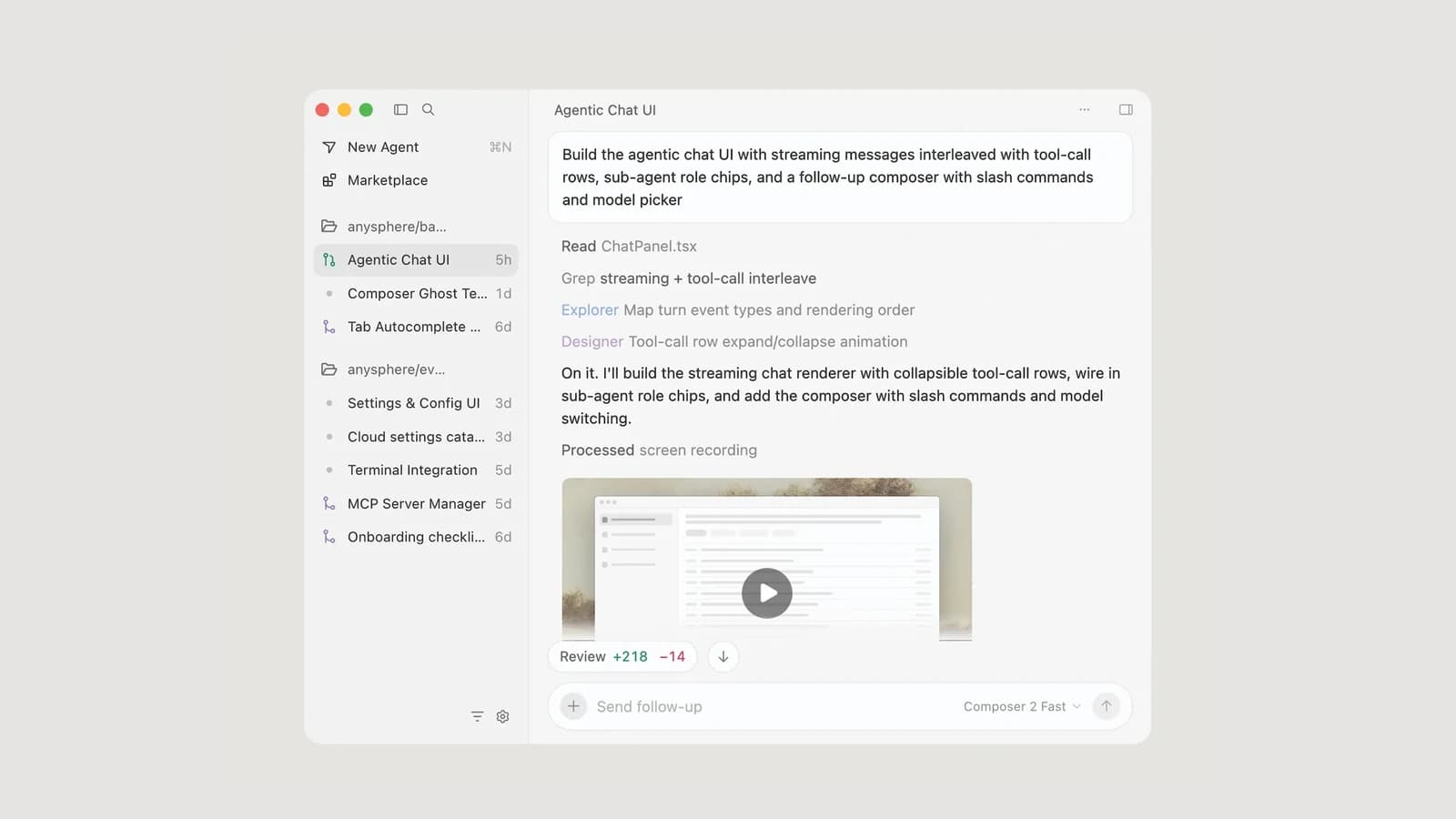
 Official Prime Agent launch artwork
Official Prime Intellect artwork. The numbers in the launch article describe those benchmarks, not a guarantee for your project and model.
What Prime Agent is and what it is good for
Most coding agents give the model several separate tools: one to read files, one to edit, one to run commands. In Prime Agent the model only has the ipython tool: a persistent Python environment whose variables survive between turns. Everything, from reading and editing files to running project commands and managing working memory, happens through Python code. In practice, the model can keep a large error log or the file list of a big repository in a variable, search it, and read only the relevant slice instead of copying all of it into the conversation.
The project's two main ideas are:
- Recursive language model: from inside that Python environment, the model creates real subagents with
rlm.spawn(...). Each subagent has its own session, does independent work, and sends its result back to the main agent as a message or writes it to a file.
- Refinable instructions: the
/refine command reviews the session's trajectory and can add small, evidence-backed lessons to supplemental instructions, memory or skill descriptions. According to the documentation, the base system prompt is never rewritten, and every change is recorded as a snapshot you can roll back to.
Prime Agent suits long jobs: examining a large repository, multi-step research, running model evaluations, or work that must continue after the terminal closes. For a short one-file fix, simpler tools such as Claude Code, Codex or OpenCode usually get there faster. The project is released under the MIT licence and is built on the open-source pi tool.
Before you install: system, account and the services involved
According to the quickstart and the providers page:
- Operating system: the official installer is for macOS and Linux. The documentation's Windows page only says Prime Agent needs a bash shell on Windows and considers Git for Windows enough for most users; no official Windows installer is documented.
- Python: the agent's Python environment is set up automatically on first use, and you do not need to do anything.
- Model access: Prime Agent has no model of its own and must connect to a provider. There are three routes: signing in with a subscription (ChatGPT Plus or Pro, Claude Pro or Max, GitHub Copilot and eligible xAI Grok subscriptions), an API key from one of the providers (including Anthropic, OpenAI, DeepSeek, Google Gemini, OpenRouter and Prime Intellect's own Prime Inference service), or a model running on your own server.
- Claude subscription cost: the documentation says using a Claude Pro or Max subscription in this tool draws from the account's "extra usage" and is billed per token, not against the plan's limits.
- Prime Intellect services: a Prime Intellect account is not mandatory for the agent itself, but the official installer is downloaded from Prime Intellect's site, and Prime Inference and optional session trace sharing are also that company's services.
Installing Prime Agent on macOS and Linux
The official install command installs the latest stable release:
curl --proto '=https' --proto-redir '=https' -fsSL https://app.primeintellect.ai/prime-agent/install.sh | sh
The --proto options make sure the download and any redirect happen over HTTPS only. To try the latest beta built from the main branch, -s -- beta is added to the end of the same command. Both commands fetch published release artifacts and install the prime-agent command. Before running a script piped straight into a shell, read it.
The documentation also has a second route for running from source, which needs Node.js 22.8.0 or later:
git clone https://github.com/PrimeIntellect-ai/prime-agent
cd prime-agent
npm ci
./prime-agent.sh
After installing, open a new terminal window and check the install:
prime-agent --version
prime-agent status
prime-agent doctor
The first command prints the version, the second shows the state of the background services, and the third finds problems with them. prime-agent doctor --fix also repairs them; run it without --fix first to see what it wants to change. To update, run prime-agent update.
Your first session: signing in and starting in a project folder
Go to your project folder and start Prime Agent:
cd /path/to/project
prime-agent
Inside the program, type /login and pick a provider. If you have an API key, you can put it in an environment variable before starting, for example ANTHROPIC_API_KEY. Keys and sign-in tokens are stored in ~/.prime/agent/auth.json, which only your own user can read. The documentation also offers a way to avoid keeping a key as plain text: a key value in that file can be a command starting with ! that reads the key from the system keychain or a password manager.
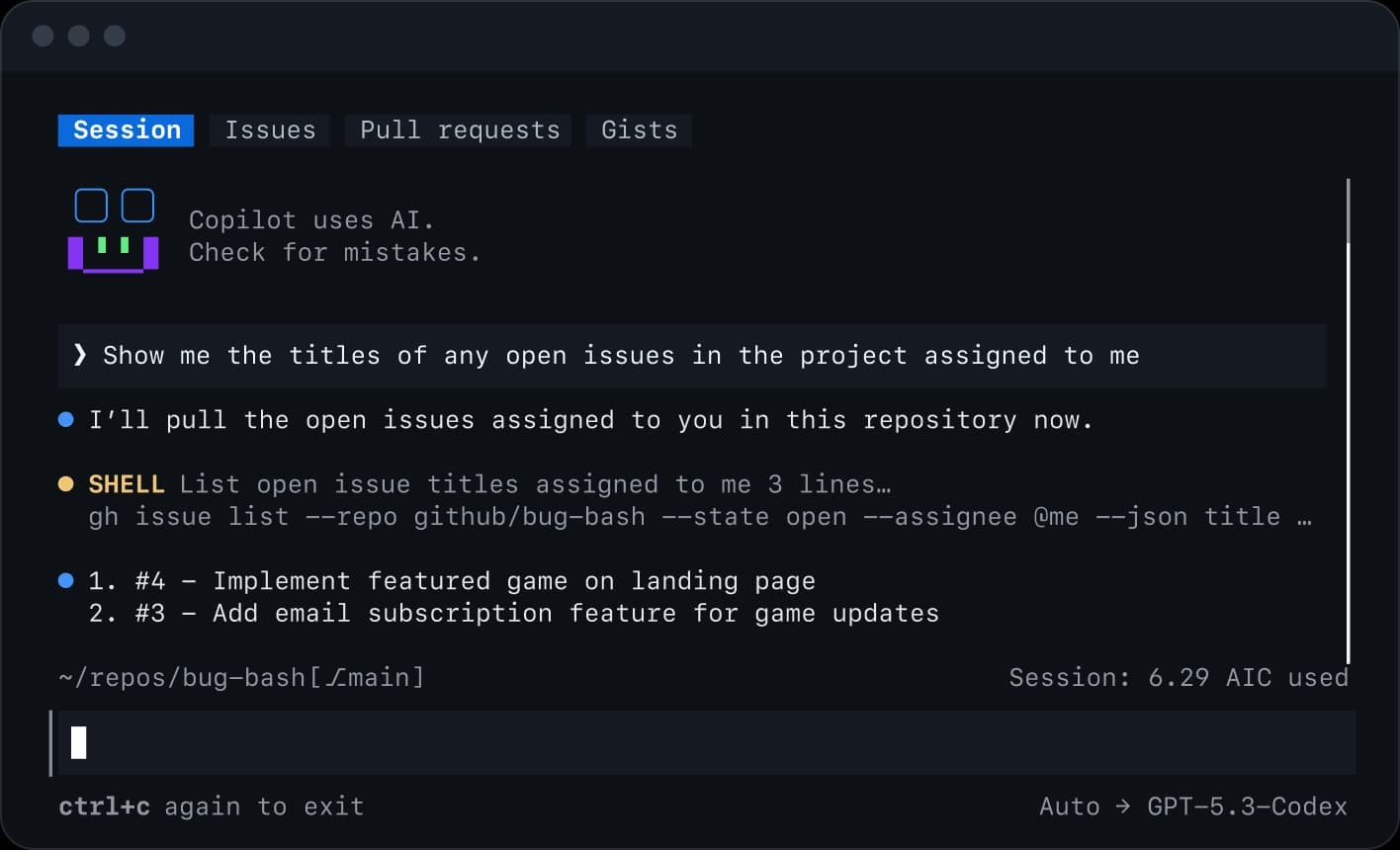
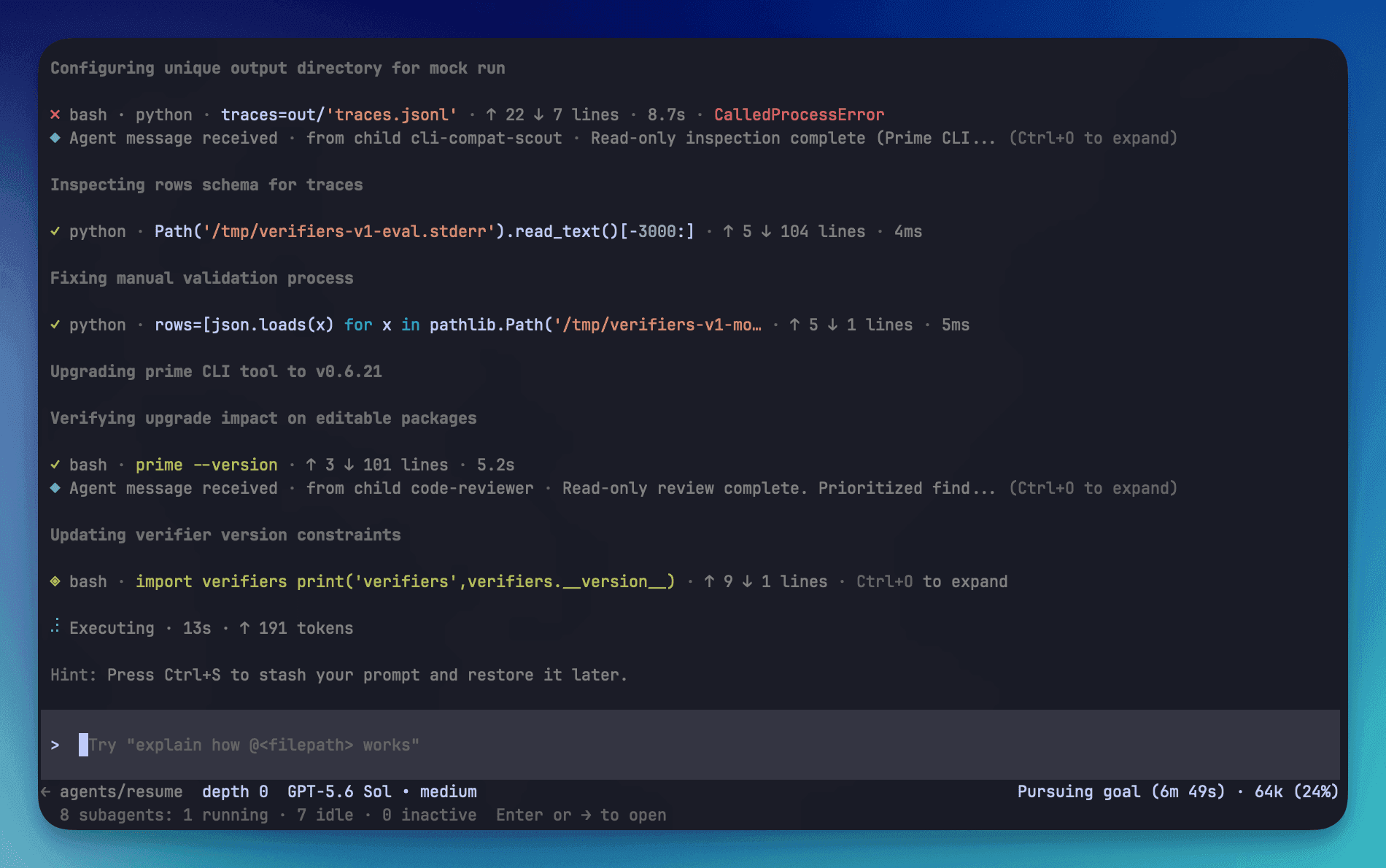 Official Prime Agent terminal interface
Official view of the terminal interface from the Prime Agent launch article.
At the start, only ask questions and change nothing yet. A few good first requests:
- "Summarise this repository and tell me how its checks and tests are run. Don't run anything yet."
- "Find the files involved in user sign-in and explain the flow. Don't change any file."
- "Which parts of the project have no tests? Just list them."
Prime Agent works in the folder it was started from and can change the files there. Before the first real change, make sure the project is under git and git status shows no unsaved changes; better still, create a separate copy or a clean working branch with git worktree for the agent. Typing @ in the editor attaches a file to your request. !npm run lint runs a command and passes its output to the model, and !! does the same without sending the output to the model. Sessions are saved automatically under ~/.prime/agent/sessions/; prime-agent -c continues the most recent session and prime-agent -r opens the session list.
AGENTS.md: the project's standing instructions
Prime Agent reads instruction files at the start of every session. According to the usage page, they are loaded from three places:
~/.prime/agent/AGENTS.md for your personal instructions across all projects;- the folders above the current one, walking upwards;
- the current folder itself.
In the current folder and the folders above it, an AGENTS.md or CLAUDE.md file is read; so if the project already has instructions for another tool, Prime Agent uses them too. A short example:
# Project instructions
- Run npm run check after every code change
- Do not run production migrations locally
- Never edit generated files under src/generated/; run npm run generate
- Persian UI strings live in locales/fa.json; keep Persian digits
- Done means: checks pass and the git diff has been reviewed
After changing this file, restart the program or run /reload. The --no-context-files option turns off reading these files. If you want to replace the base system prompt entirely, a SYSTEM.md file in the project's .prime/agent/ or in ~/.prime/agent/ does that, and APPEND_SYSTEM.md only adds to it. Remember that instructions are guidance, not a lock; the model usually follows them, but they do not reliably stop any command. Never put passwords, tokens or API keys in this file.
Safety: Prime Agent does not ask before running commands
Know the most important practical point of this section up front: in the documentation we checked, Prime Agent has no permission mode like the tools that ask you before editing a file or running a command. According to the RLM programming model page, the agent's Python environment runs model-generated code and project commands with your user account's permissions. The separate background processes exist for stability and recovery, and the documentation says plainly that they are not a security sandbox.
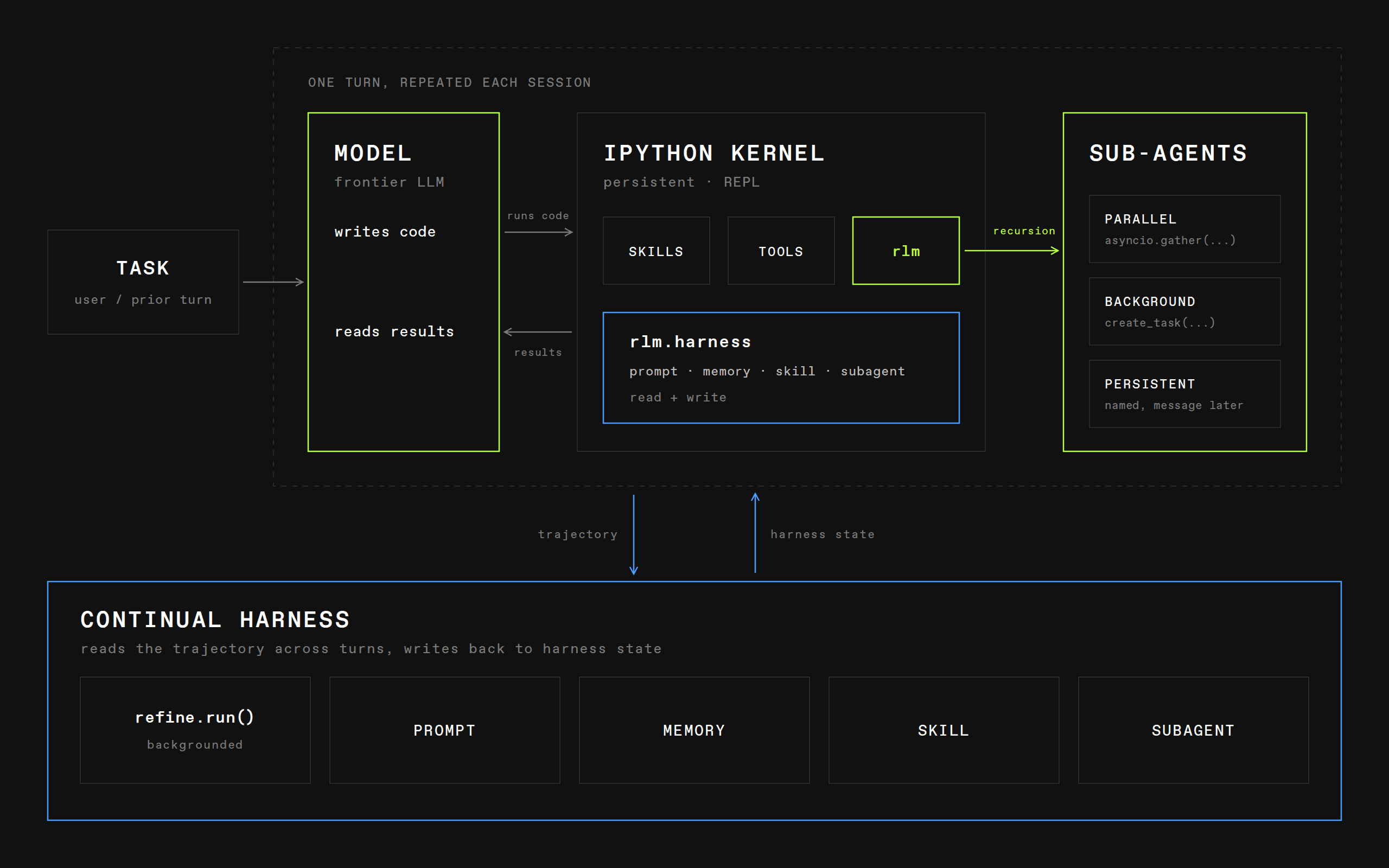 Official Prime Agent architecture diagram
Official architecture diagram. Separate processes help work continue and recover, but they do not stop malicious code.
So you have to take control from outside, in these ways:
- A separate copy: run the agent in a disposable copy or a clean working branch so every change is visible and reversible with git.
- An external sandbox: for a repository or instructions you do not trust, run Prime Agent inside a virtual machine or container.
- Secrets out of reach: keep production keys and publishing access out of the agent's environment variables and working folder.
- Limit what loads: the
--no-extensions, --no-skills and --no-context-files options turn off loading extensions, skills and instruction files, and --no-tools disables all tools.
- Approval gates through extensions: according to the extensions page, extensions can react before every tool call, ask the user for confirmation, or block it. The repository ships examples such as
permission-gate.ts to block dangerous commands, protected-paths.ts to prevent writes to specific paths, and dirty-repo-guard.ts to warn about a repository with unsaved changes.
Extensions, skills and packages themselves also run with your account's full permissions. Install them only from sources whose code you have read. Any instruction the agent reads in a ticket, a document, an error log or a web page may be malicious; an instruction being read does not make it authorised. For a deeper discussion, see AI tool permission security.
Commands you will use every day
Inside the program, any message starting with / is a command. Outside it, a few command-line commands manage your agents. All of these appear on the usage page:
| Command | Use |
|---|
/login and /logout | Manage sign-in and keys |
/model | Change the model |
/effort | Set the model's reasoning level |
/new | Start a new session |
/resume | Continue an earlier session |
/tree and /fork | Jump to an earlier point in the session, or start a new session from it |
/compact | Summarise the conversation to free working memory |
/usage | See token, cost and working-memory usage, broken down by subagent |
/refine | Refine or roll back the supplemental instructions |
/reload | Reload instructions, skills and extensions |
prime-agent agents | See running and saved agents |
prime-agent attach <agent> | Reconnect to an agent working in the background |
prime-agent stop <agent> | Stop one agent |
prime-agent shutdown | Stop every agent and background service |
prime-agent model list | List available models |
When a conversation gets long and answers get worse, /compact or a fresh start with /new usually beats carrying on. After the conversation is summarised, restate the important constraints; a summary can drop details.
How to ask Prime Agent for work: a real example
With an agent that can spread work across several subagents, a precise request matters even more. Say what the job is, which parts are only read and which may change, what must not be touched, and what signal counts as done. Put these two side by side:
- Vague: "Make user sign-in more secure."
- Clear: "Give a security review of user sign-in and a review of test coverage to two subagents as independent tasks, and have both only read. Then combine their findings and propose a fix plan. Don't change any file yet and wait for my approval."
The second request splits the work between subagents and keeps the line between reading and writing clear. Because Prime Agent has no separate planning mode by default, and the repository only ships an example extension for one, you have to write that line into the request itself. For bigger tasks, this order works:
- First ask it to investigate and propose a plan, with the explicit condition that it changes nothing yet.
- Read the plan and correct it if needed. Approve it only when you are convinced.
- Ask it to implement only the approved scope and run the related test or check.
- Review the changes yourself with
git diff, just as you would a new colleague's code.
- If the result is not good enough, revert the file changes with git; the documentation presents
/tree and /fork as ways to move around the conversation history, not to restore files. Then make the request more precise.
- Make the commit yourself, or at least read the commit message before it is recorded.
Use subagents only for genuinely independent work. If several subagents write to the same files at once, they spoil each other's work; either they only read, or each gets its own working branch. Subagents also cost money and time, and /usage shows each one's share.
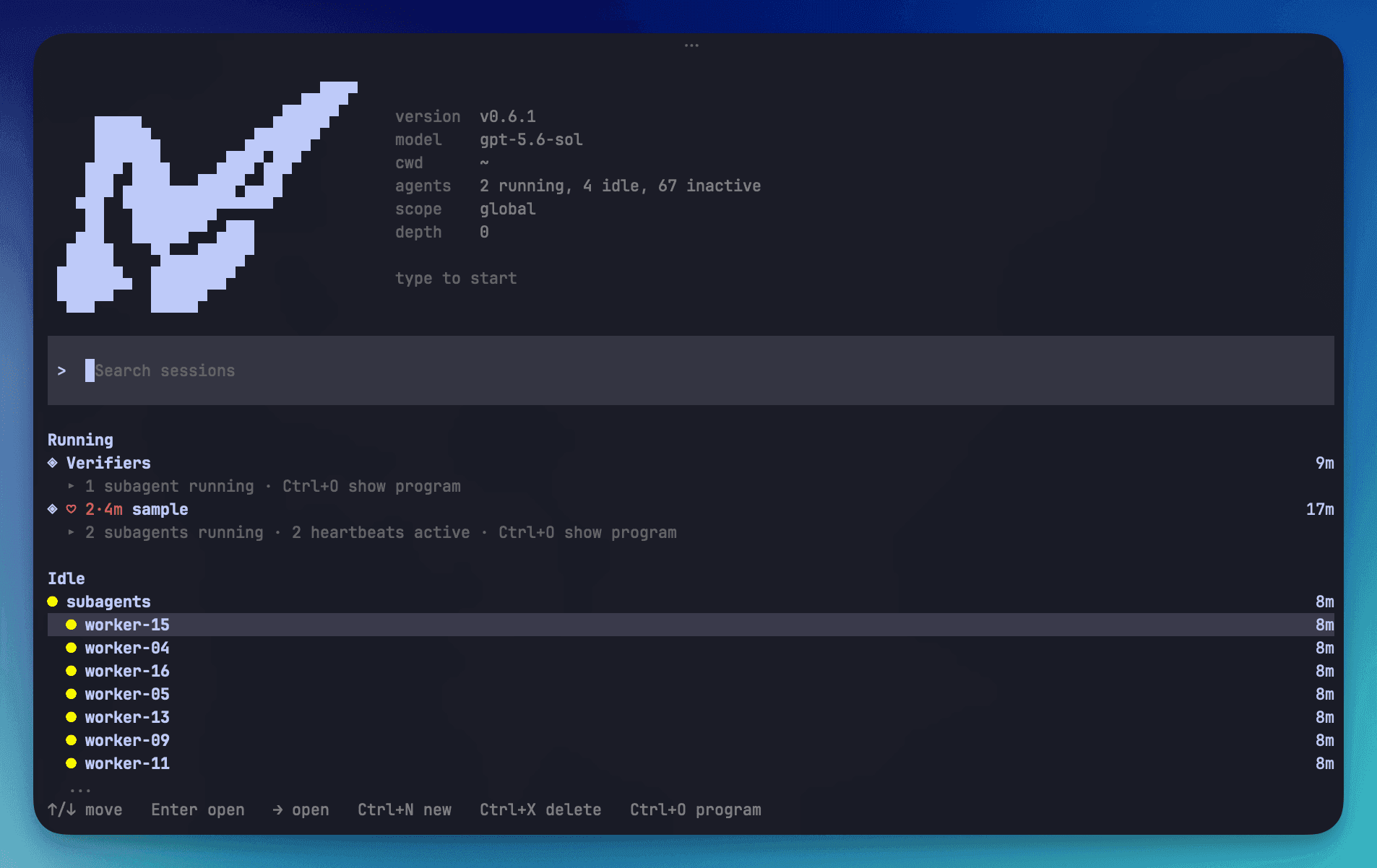 Official Prime Agent agents view
Official view for managing agents and persistent sessions.
Long-running and background work: goals, heartbeats, schedules and autonomous mode
Prime Agent sessions run in background processes, so closing the terminal does not stop the agent; it only detaches you from it. According to the long-running and background agents page, there are four features for long work:
- Persistent goal:
/goal keeps a goal active across turns until it is completed, paused or cleared; for example /goal --budget 200000 Complete the repository migration with a token cap. /goal status, /goal pause and /goal clear manage its state.
- Heartbeat:
/heartbeat every 10m Check the deployment and report meaningful changes sends a recurring instruction to the session every ten minutes.
- Schedule:
prime-agent schedule add worker "in 30m" -- "Check the benchmark result" once, and prime-agent schedule add worker "0 9 * * 1-5" -- "Review open work" at 9 a.m. on every weekday, send a prompt to an agent named worker.
- Bounded autonomous mode:
/autonomous on --gate "npm run check" --gate-retries 2 keeps the agent going without you until the check command passes or a limit is reached.
The default autonomous limits are three automatic continuations, twelve responses, 80,000 tokens and thirty minutes. If you name no limit, these defaults apply; but if you set only some limits, the rest become unlimited. Take the documentation's key point seriously: reaching a limit does not mean success, and a passing check command proves only what that command actually checks. If you make every limit unlimited and give no check command, the agent has no automatic stopping point. Stop work you no longer need with prime-agent stop <agent>.
Connecting outside tools: MCP, skills and packages
Prime Agent does not turn MCP servers into new tools for the model. According to the MCP integrations page, every service is reached through one Python module called mcp. /plugins or /mcp opens a screen where you search for a service such as Linear or Notion and connect it by signing in through the browser. Credentials stay on your own machine in auth.json, and the agent does not show a service as "connected" until a real handshake with the server succeeds. Once connected, the model uses it like this:
# Discover the server's tools first, then call one
tools = await mcp.list_tools("linear")
result = await mcp.call_tool("linear", "list_issues", {"team": "Engineering"})
Skills are packages of instructions and helper code for a specific task. According to the skills page, they load from ~/.prime/agent/skills/ and the project's .prime/agent/skills/, and are invoked with /skill:name. Three skills ship with the program: prime-intellect for working with that company's products, skill-creator for building new skills, and websearch for web search through the Serper service. Packages bundle extensions, skills and templates, and install with a command such as prime-agent package install git:github.com/user/repo@v1. The documentation says plainly that packages run with full system access; read their code before installing and install a specific version. We cover the secure architecture for these connections in MCP integration architecture.
Non-interactive and scripted use
Once a task has worked a few times interactively, you can run it from a script or a CI pipeline. The -p option runs the request, prints the answer and exits:
# One-off question
prime-agent -p "Summarize this codebase"

# Pipe text in
cat README.md | prime-agent -p "Summarize this text"

# Bounded unattended run that must pass the project check
prime-agent -p \
  --autonomous \
  --autonomous-gate "npm run check" \
  --autonomous-max-continuations 3 \
  --autonomous-max-turns 12 \
  --autonomous-max-tokens 80000 \
  --autonomous-timeout-ms 1800000 \
  "Fix the failing check and report the verified result."
To connect to other programs, --mode json prints every session event as JSON lines and --mode rpc provides communication over standard input and output. --no-session does not save the session, and --offline only turns off network operations at startup, such as the update check; it does not make the model offline. In an unattended run nobody is there to stop the work, so run it inside a container, give it no keys or production access, and review the output before merging.
Connecting Prime Agent to a model on your own server
If you would rather keep your code and prompts off cloud services, or want cost and model choice in your own hands, Prime Agent can connect to a model on your own server. According to the custom models page, for Ollama, LM Studio or vLLM it is enough to write something like this in ~/.prime/agent/models.json:
{
  "providers": {
    "ollama": {
      "baseUrl": "http://localhost:11434/v1",
      "api": "openai-completions",
      "apiKey": "ollama",
      "models": [
        { "id": "llama3.1:8b" },
        { "id": "qwen2.5-coder:7b" }
      ]
    }
  }
}
The apiKey value is required but Ollama ignores it. If your server does not understand the developer role or the reasoning_effort option, the documentation says to set supportsDeveloperRole and supportsReasoningEffort to false in the compat section. The file is re-read every time you open /model. A model you run on your own server should be tested on real work with subagents too, not just on one short question. To choose a model, see Qwen3.8, GLM-5.2 and DeepSeek-V4 for coding.
Rolling out long-running agents for a team
An agent that works for hours in the background and spawns subagents needs more care in a team. Before you give it to every developer, settle these points:
- Model and service: which tool, model and service suit your organisation on cost, quality and data location;
- Shared instructions: a short
AGENTS.md in git with the build and test commands and forbidden actions;
- Team permissions: because the tool does not ask for permission itself, run it in a container or virtual machine, without production secrets, and with approval extensions for dangerous commands;
- Review rule: no change merges without human review, especially in financial and security code;
- Cost: a monthly spending cap in toman, a token cap for every goal and autonomous run, and usage reports from
/usage;
- Measuring results: pick a few real, recurring tasks and measure their time and quality before and after the rollout.
If you want to roll out coding and research agents for your organisation's team, on the model you choose, with an isolated runtime and clear rules for cost and review, talk to us: call +98 901 555 5651 or message us on WhatsApp. You can also read about the service on the AI and coding-agent training for teams page.
Source Notes (reviewed 2026-09-28)
Every command and setting in this guide was checked on that date against these official pages: